

















加入 Mergeek 福利群
扫码添加小助手,精彩福利不错过!
若不方便扫码,请在 Mergeek 公众号,回复 群 即可加入
- 精品限免
- 早鸟优惠
- 众测送码
 Xmart Calculator Mini -Desktop
Let's look at some simple questions:
Question 1:
James can make $200 per day, what would be his annual income ( He works 5 days a week, 48 weeks per year) ?
This is easy, just enter an expression as this in Xmart Calculator: 200 x 5 x 48
Question 2:
How many times of tapping a button to calculate his annual income?
8 times on a normal calculator, 7 times on Xmart Calculator (you don't need to tap the '=' button).
Question 3:
What if his day rate is $320, $400, $500...?
Well, very similar:
320 x 5 x 48;
400 x 5 x 48;
500 x 5 x 48...
What's the problem? With a normal calculator, we have to enter the same buttons 'x 5 x 48' very time when the only value changes is just the day rate.
Is there any way to just enter the day rate and the result will update automatically?
With Xmart Calculator, YES! You can define a Algebra function like this:
"IncomeByDay(X) = X x 5 x 48"
Then you can just select the function and enter the value for 'X' and the result will update straight away!
To get James annual income, you just need to tap buttons 4 times.
--
End of questions
--
Xmart Calculator is appreciated as an intelligent, programmable and expandable calculator based on text expression.
In addition to most of the common and scientific functions, users can also define personal functions.
All calculations are step-by-step traceable.
**Quick start:
* Use the keyboard to quickly enter expressions/formulas
* When using keyboard, press '*' for multiplication and '/' for division
* Click '=' to save the calculations
**Basic features:
* Instantly calculate and show result, no need to press the '=' button
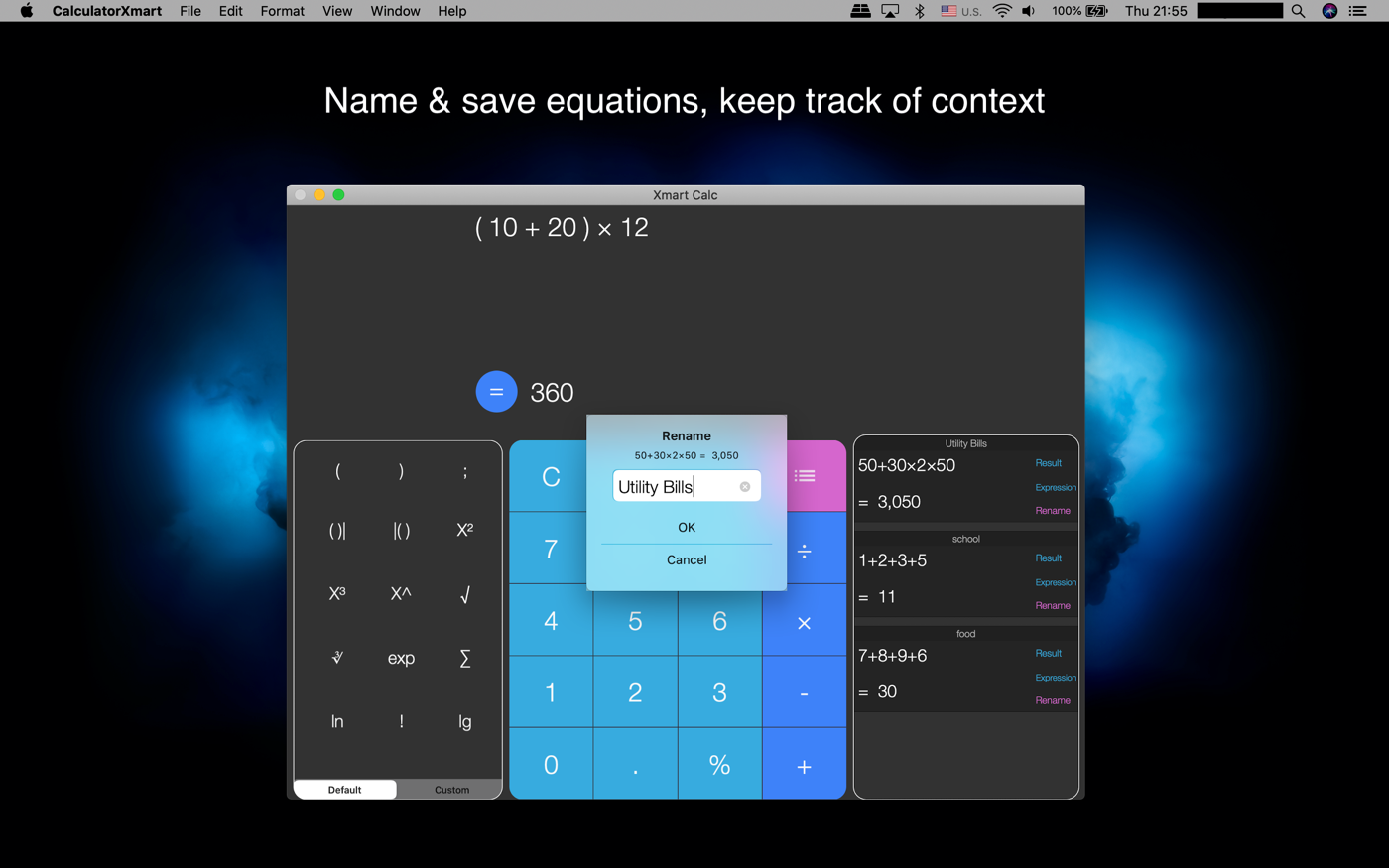
* Save calculation to history
* Name/label a history item meaningfully
* Recall history item or expression
* Record and show step by step details of the calculation
* Share history with friends
**Advanced features:
* Turn ON/OFF the button sounds and custom the sound
* Turn ON/OFF automatically saving
* Configure colours and fonts
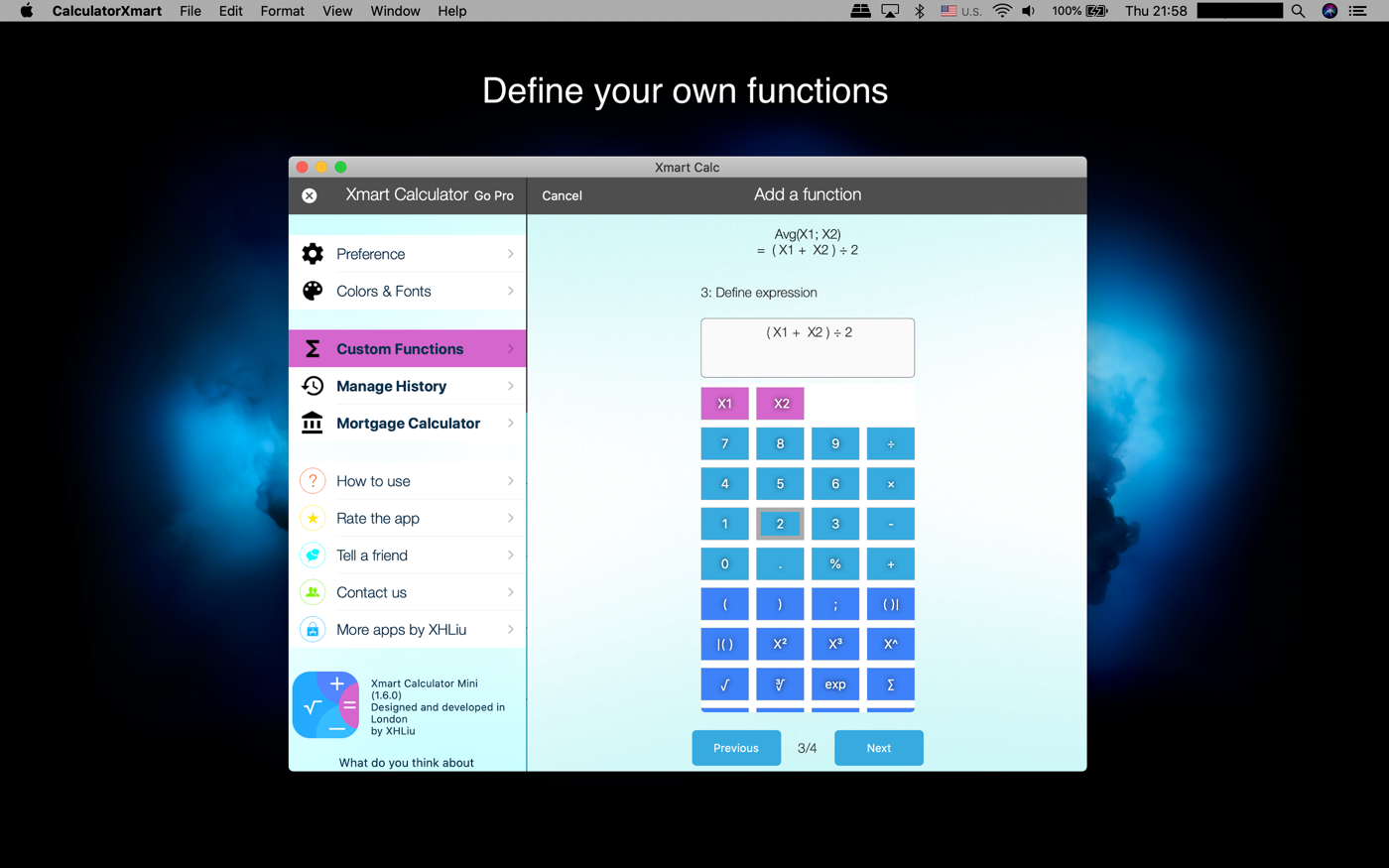
* Custom functions (Shows 2 for the mini version): user can define any algebra functions with up to 9 parameters.
* Use a custom function in the main expression or play with it separately.
* Support most scientific math functions.
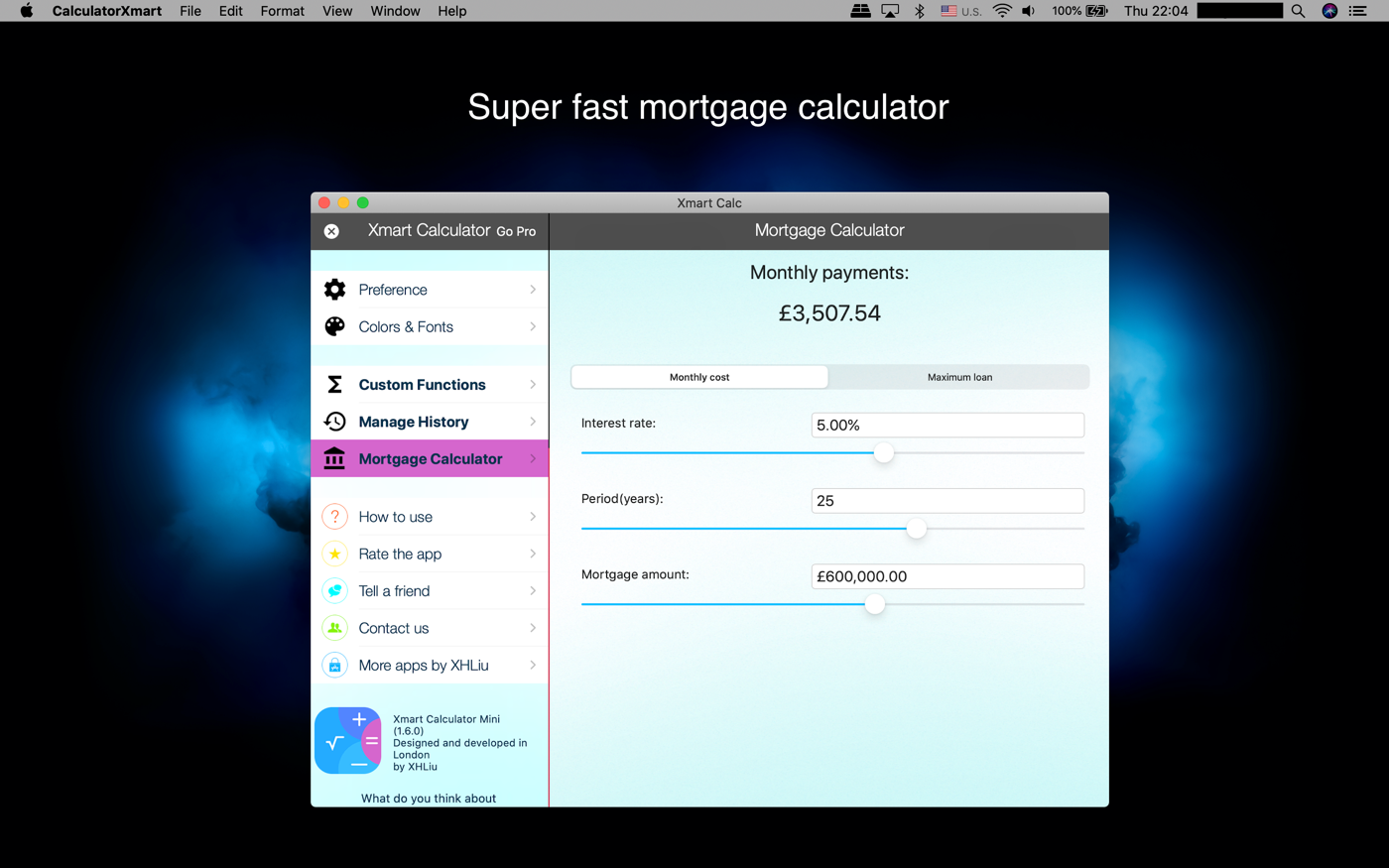
* Fast mortgage calculator is included
Let's look at some simple questions:
Question 1:
James can make $200 per day, what would be his annual income ( He works 5 days a week, 48 weeks per year) ?
This is easy, just enter an expression as this in Xmart Calculator: 200 x 5 x 48
Question 2:
How many times of tapping a button to calculate his annual income?
8 times on a normal calculator, 7 times on Xmart Calculator (you don't need to tap the '=' button).
Question 3:
What if his day rate is $320, $400, $500...?
Well, very similar:
320 x 5 x 48;
400 x 5 x 48;
500 x 5 x 48...
What's the problem? With a normal calculator, we have to enter the same buttons 'x 5 x 48' very time when the only value changes is just the day rate.
Is there any way to just enter the day rate and the result will update automatically?
With Xmart Calculator, YES! You can define a Algebra function like this:
"IncomeByDay(X) = X x 5 x 48"
Then you can just select the function and enter the value for 'X' and the result will update straight away!
To get James annual income, you just need to tap buttons 4 times.
--
End of questions
--
Xmart Calculator is appreciated as an intelligent, programmable and expandable calculator based on text expression.
In addition to most of the common and scientific functions, users can also define personal functions.
All calculations are step-by-step traceable.
**Quick start:
* Use the keyboard to quickly enter expressions/formulas
* When using keyboard, press '*' for multiplication and '/' for division
* Click '=' to save the calculations
**Basic features:
* Instantly calculate and show result, no need to press the '=' button
* Save calculation to history
* Name/label a history item meaningfully
* Recall history item or expression
* Record and show step by step details of the calculation
* Share history with friends
**Advanced features:
* Turn ON/OFF the button sounds and custom the sound
* Turn ON/OFF automatically saving
* Configure colours and fonts
* Custom functions (Shows 2 for the mini version): user can define any algebra functions with up to 9 parameters.
* Use a custom function in the main expression or play with it separately.
* Support most scientific math functions.
* Fast mortgage calculator is included
第一时间掌握精选限免应用/游戏信息
自定义喜欢的应用/游戏的价格变动
了解内购应用/游戏的限免或降价活动
查看应用/游戏价格历史等待合适时机再出手
第一时间收到价格通知不错过省钱机会

扫码下载 Follow
 喝水种花
喝水种花
强迫自己养成某种习惯,往往枯燥、困难,甚至痛苦。而喝水种花旨在通过种花这种游戏的方式,让您在养成喝水...

 好说
好说
好说是一款基于 DeepSeek V3 满血版的超智能口语对话练习 App, 你可以通过和多个各具特...
 ProKnockOut
ProKnockOut 是一款强大的图像处理工具,以智能抠图为核心,集成了图片合成、人像美容、照片编...
 91
91


强迫自己养成某种习惯,往往枯燥、困难,甚至痛苦。而喝水种花旨在通过种花这种游戏的方式,让您在养成喝水...
7

好说是一款基于 DeepSeek V3 满血版的超智能口语对话练习 App, 你可以通过和多个各具特...
83


ProKnockOut 是一款强大的图像处理工具,以智能抠图为核心,集成了图片合成、人像美容、照片编...
天天发现优质应用
 到主屏幕
到主屏幕


产品名
这项是必须填的哦~可用平台
产品链接
这项是必须填的哦~产品一句话介绍
这项是必须填的哦~开发者邮箱
你也可以发送更多的产品故事到 hi@mergeek.com
我们会让你的产品被更多用户看到!
产品名
这项是必须填的哦~可用平台
产品链接
这项是必须填的哦~产品一句话介绍
这项是必须填的哦~开发者邮箱
你也可以发送更多的产品故事到 hi@mergeek.com
我们会让你的产品被更多用户看到!
已经成功发送到你的邮箱了,请注意查收
你成为这个产品的发现者啦,说说你的推荐语吧!