Managing Google Forms on iPhone has never been easier.
Whether you're a teacher creating tests, a business collecting customer feedback, an event planner tracking registrations, or a researcher needing to quickly launch a survey - Forms for Google Drive puts you in control of all things Google Forms, anytime, anywhere, without having to turn on your computer.
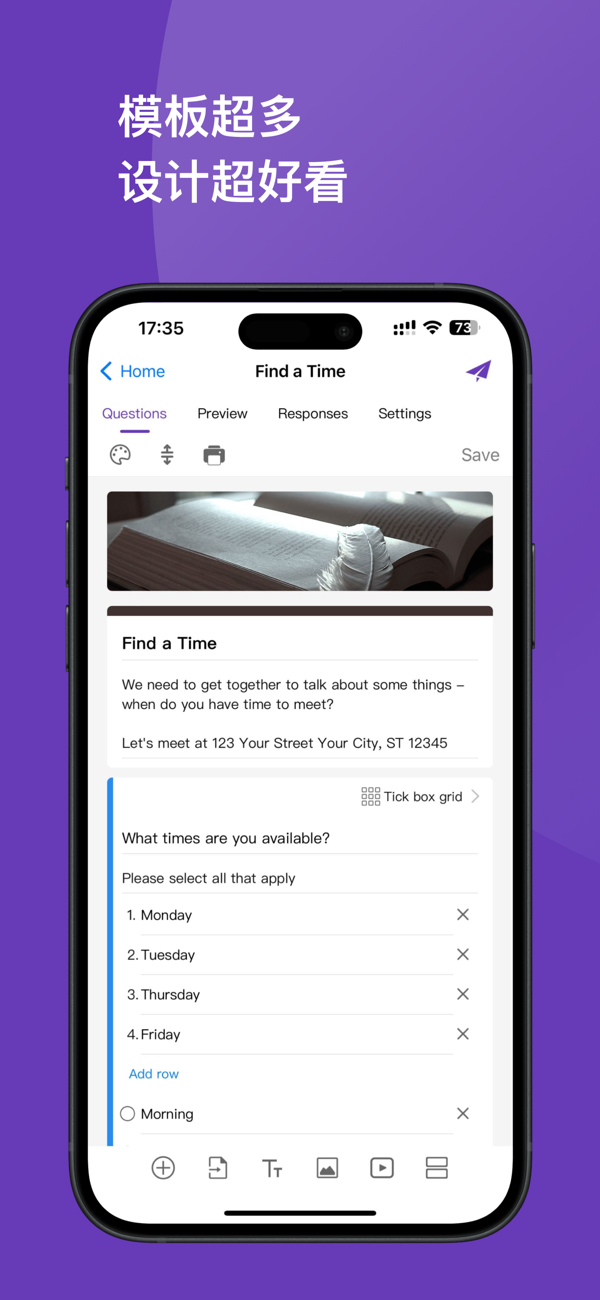
[Quick creation with AI, 80+ templates at your fingertips]
Built-in AI assistance allows you to describe your needs and automatically generate a complete questionnaire framework within seconds. Also provides 80+精美场景模板: class quizzes, final exams, employee satisfaction surveys, product feedback, market research, event registration forms, medical consultation registrations, order collections... covering almost all scenarios in education, workplace, business, etc. Supports 10 question types: multiple choice, multiple select, short answer, paragraph text, dropdown menu, linear scale, rating scale, date, time, file upload. Supports drag-and-drop sorting, inserting pictures/videos, customizing theme colors and backgrounds.
[Teachers and students: An all-in-one assistant for classroom management]
Create pop quizzes, final exams, course selection registration forms, club registration forms, parent questionnaires - all on your iPhone, without turning on your computer. Set scores for each question, mark the correct answers, and enable automatic grading: scores are instantly displayed when students submit, eliminating the need for manual grading. Set a答题截止时间 and the collection will automatically close when the time is up. Generate a专属二维码 to display on your teaching materials, and students can scan it to answer; students can answer on any device without installing an additional app. Teachers can view the submission progress of the whole class and each student's score in real time on their iPhone, clearly seeing who hasn't submitted yet. Supports connecting with Google Classroom to directly assign forms as classwork.
[Essential for the workplace: Corporate surveys and team collaboration]
Initiate employee satisfaction surveys, performance feedback, onboarding registrations, annual assessment questionnaires - Forms for Google Drive offers enterprise-level form management capabilities. Invite colleagues as collaborators and multiple people can edit together in real time online. Each form can be individually set with a notification switch; set a回答时间段; limit the maximum number of responses (automatically close when full); configure conditional jump logic to dynamically display relevant questions based on respondents' answers, reducing distractions and increasing the completion rate.
[Real-time notifications + beautiful charts + flexible export]
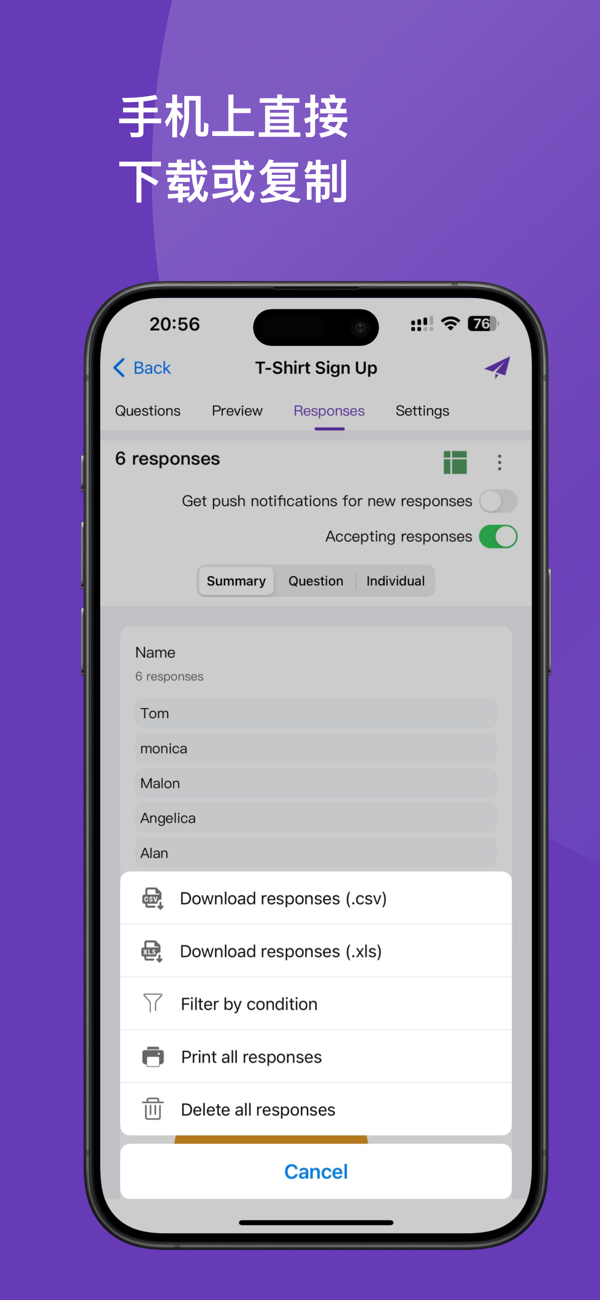
Whenever someone submits a form, immediately receive iOS push notifications to stay on top of the action. Responses are automatically generated into visual charts, supporting three modes: summary view, question view, and individual view, and can be filtered by date, email, and score. Export一键 to Google Sheets (real-time synchronization), CSV, or Excel (XLS), and support printing a complete response report.
[Share via multiple channels to reach your target audience]
Generate a personalized QR code to print on posters, business cards, or teaching materials, and scanning it leads directly to the form. Supports one-click sharing via platforms such as WeChat, email, WhatsApp, Slack, Facebook, Instagram, LinkedIn, iMessage, etc. The form link can be embedded in a website; set it to be filled only by specific email domains; or limit each person to submit only once.
[Seamlessly integrated with the entire Google ecosystem]
Deeply integrated with Google Drive, Google Sheets, Google Docs, and Google Classroom. Directly open existing forms in Drive and edit them on your iPhone at any time, with changes instantly synced to all connected devices. Supports batch importing questions from existing forms for reuse. Supports switching between multiple Google accounts, with personal and company accounts not interfering with each other.
Disclaimer: This app is an independent third-party app and has no association with Google. All trademarks belong to their respective owners.
Contact us: blueberryjamapps@gmail.com
Subscription plan: $5.99/week · $59.99/year · $99.99 for lifetime purchase
Billing occurs from your iTunes account after purchase confirmation. Subscriptions auto-renew. To cancel, go to [Settings → Apple ID → Subscriptions] at least 24 hours before the end of the current billing cycle.


 +100宝石


 分享
分享














用户评价
立即分享产品体验
你的真实体验,为其他用户提供宝贵参考
💎 分享获得宝石
【分享体验 · 获得宝石 · 增加抽奖机会】
将你的产品体验分享给更多人,获得更多宝石奖励!
💎 宝石奖励
每当有用户点击你分享的体验链接并点赞"对我有用",你将获得:
🔗 如何分享
复制下方专属链接,分享到社交媒体、群聊或好友:
💡 小贴士
分享时可以添加你的个人推荐语,让更多人了解这款产品的优点!
示例分享文案:
"推荐一款我最近体验过的应用,界面设计很精美,功能也很实用。有兴趣的朋友可以看看我的详细体验评价~"
关注 Mergeek 公众号
领奖遇到问题?联系小门助手