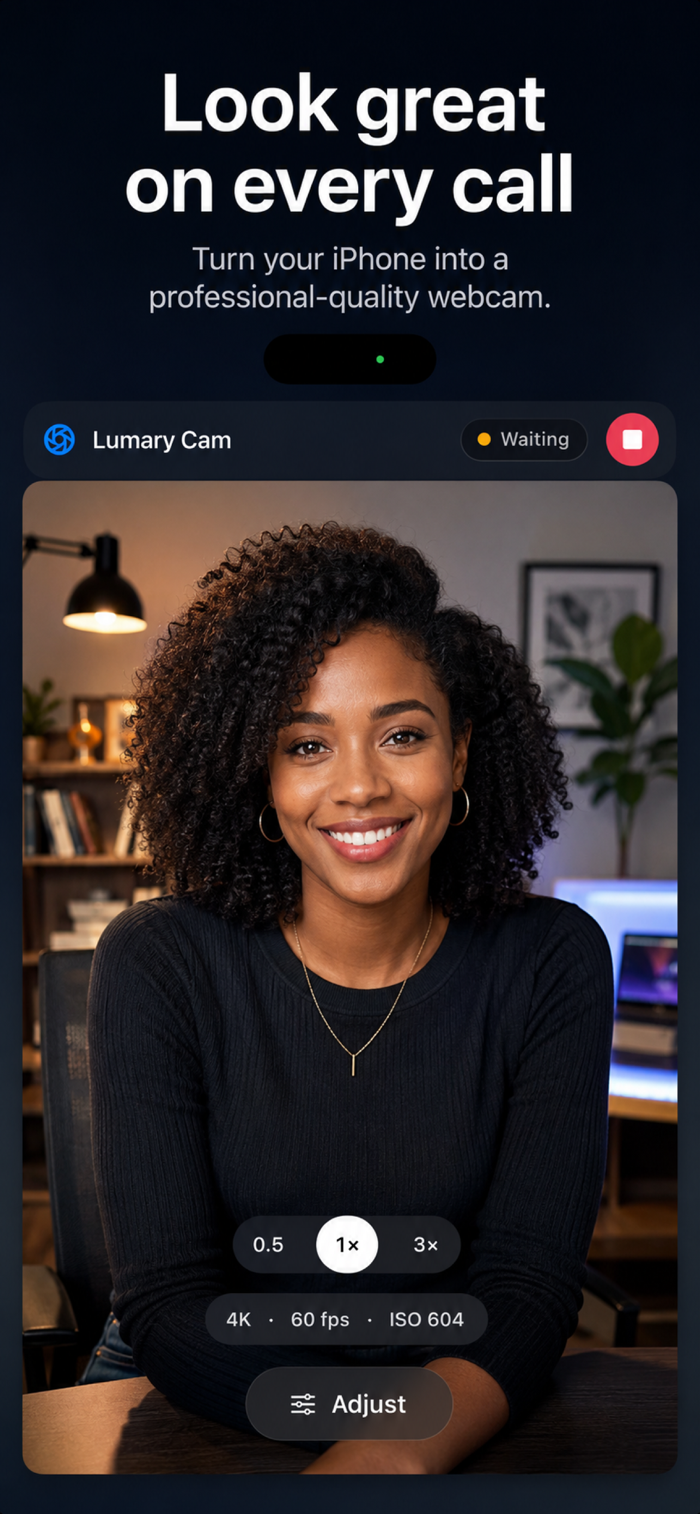
Lumary Cam Mobile turns your iPhone into a high-quality USB‑C camera source for the Lumary Cam Mac app. Plug in over USB‑C and your Mac sees the iPhone alongside its other cameras — no Wi-Fi setup, no cloud, no account.
HIGH-QUALITY CAPTURE
Stream your iPhone camera to your Mac with hardware-accelerated HEVC encoding. Low-latency settings keep the feed responsive for calls, recordings, and live presentations. Default 4K at 60 fps, with 120 and 240 fps where your lens supports it.
ENHANCED ON THE PHONE
Noise reduction, low-light recovery, sharpness, smart white balance, LUT looks, and background blur, removal, or replacement all run on the iPhone itself — your Mac receives a finished feed and stays cool and responsive. Face-driven autofocus keeps you sharp instead of the background.
RELIABLE BY DESIGN
Close and reopen the app, lock the phone, or unplug and replug — streaming reconnects automatically within seconds. No camera juggling on either side.
FINAL CUT CAMERA–STYLE INTERFACE
A full-bleed preview, an inline lens row for one-tap zoom, and a single Adjust sheet that gathers every deep control: Lens, Exposure, Focus, Color, Format, Steady, More.
FULL CAMERA CONTROLS
Switch between Ultra Wide, Wide, Telephoto, and Front lenses. Lock exposure or go fully manual with ISO, shutter, and EV sliders. Take manual focus or tap the preview to focus on a subject. Set custom white balance with Tungsten, Daylight, Cloudy, ...


 +100宝石


 分享
分享















用户评价
立即分享产品体验
你的真实体验,为其他用户提供宝贵参考
💎 分享获得宝石
【分享体验 · 获得宝石 · 增加抽奖机会】
将你的产品体验分享给更多人,获得更多宝石奖励!
💎 宝石奖励
每当有用户点击你分享的体验链接并点赞"对我有用",你将获得:
🔗 如何分享
复制下方专属链接,分享到社交媒体、群聊或好友:
💡 小贴士
分享时可以添加你的个人推荐语,让更多人了解这款产品的优点!
示例分享文案:
"推荐一款我最近体验过的应用,界面设计很精美,功能也很实用。有兴趣的朋友可以看看我的详细体验评价~"
关注 Mergeek 公众号
领奖遇到问题?联系小门助手