Turn your iPhone's depth camera into a living visual instrument.
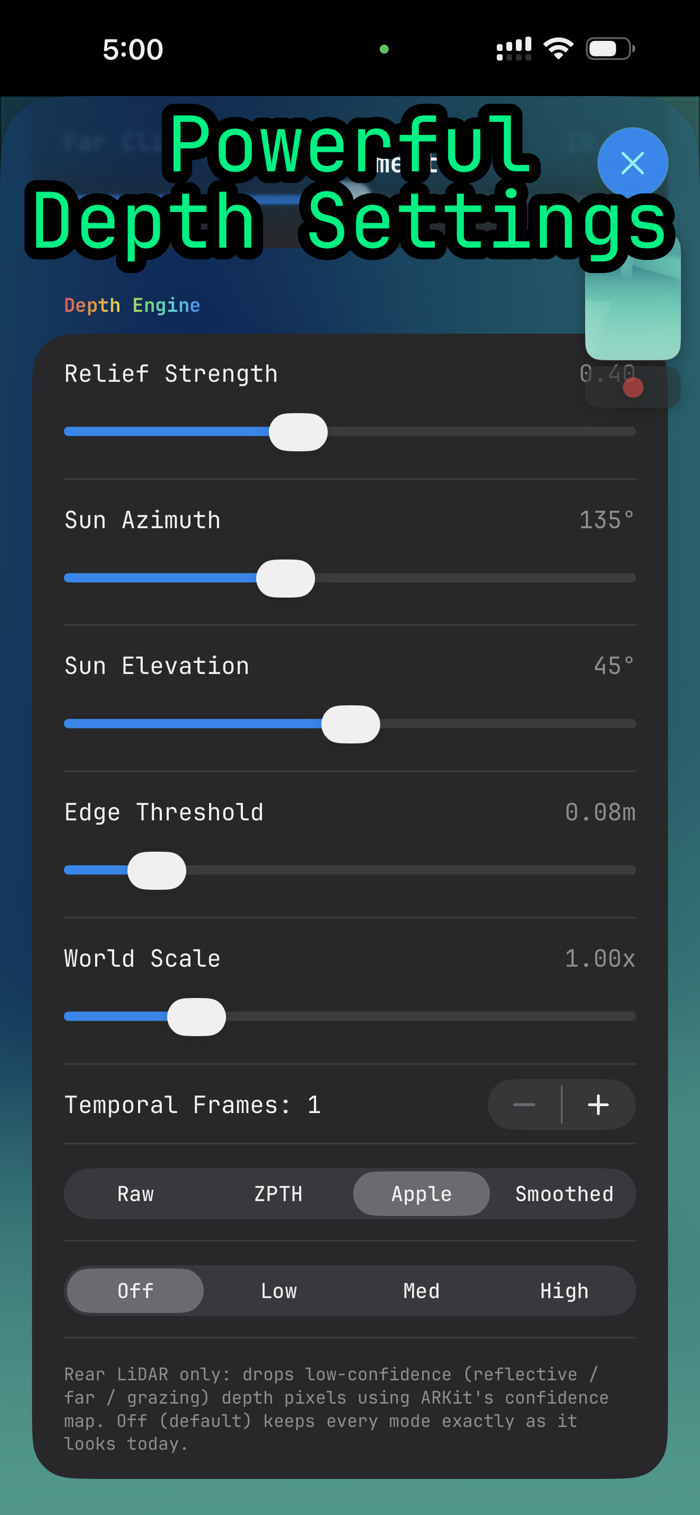
ZPTH reads the depth in front of you — with the front TrueDepth camera or, on Pro models, the rear LiDAR scanner — and paints it in real time. Point it at a face, a room, or your hand and watch the depth become light, contour lines, plasma, chrome, a field of living cells, or pixel-art dither. Capture a photo or record a video, straight to your Photos library.
No network, no account, no setup. Everything runs on the device.
TWENTY DEPTH MODES
• Environment — a clean depth view of the space around you, near to far.
• Face — sculpted facial relief from the depth camera.
• Raw — a glitchy, topographic depth look with posterised bands and scanlines.
• Plasma — depth-driven nebula filaments that flow and warp.
• Organic — a reaction-diffusion world that grows from the closest point.
• Data — a point cloud of numbers: every depth point printed as its distance.
• Contour — depth as a colour spectrum drawn with topographic isolines.
• Hillshade — relief-lit terrain shading from the depth surface.
• Chrome — liquid chrome, gold, wax and clay from the depth normals.
• Oil Slick — thin-film iridescence: petrol, nacre and laser fringes.
• Pulsar — rhythmic depth-driven line waves.
• Sonar — a sweeping sonar scan of the scene.
• Pin Screen — a pin-art lattice that pushes toward you with depth.
• Voxel — the scene rebuilt as 3D blocks.
• Facets ...


 +100宝石

 分享
分享











用户评价
立即分享产品体验
你的真实体验,为其他用户提供宝贵参考
💎 分享获得宝石
【分享体验 · 获得宝石 · 增加抽奖机会】
将你的产品体验分享给更多人,获得更多宝石奖励!
💎 宝石奖励
每当有用户点击你分享的体验链接并点赞"对我有用",你将获得:
🔗 如何分享
复制下方专属链接,分享到社交媒体、群聊或好友:
💡 小贴士
分享时可以添加你的个人推荐语,让更多人了解这款产品的优点!
示例分享文案:
"推荐一款我最近体验过的应用,界面设计很精美,功能也很实用。有兴趣的朋友可以看看我的详细体验评价~"
关注 Mergeek 公众号
领奖遇到问题?联系小门助手