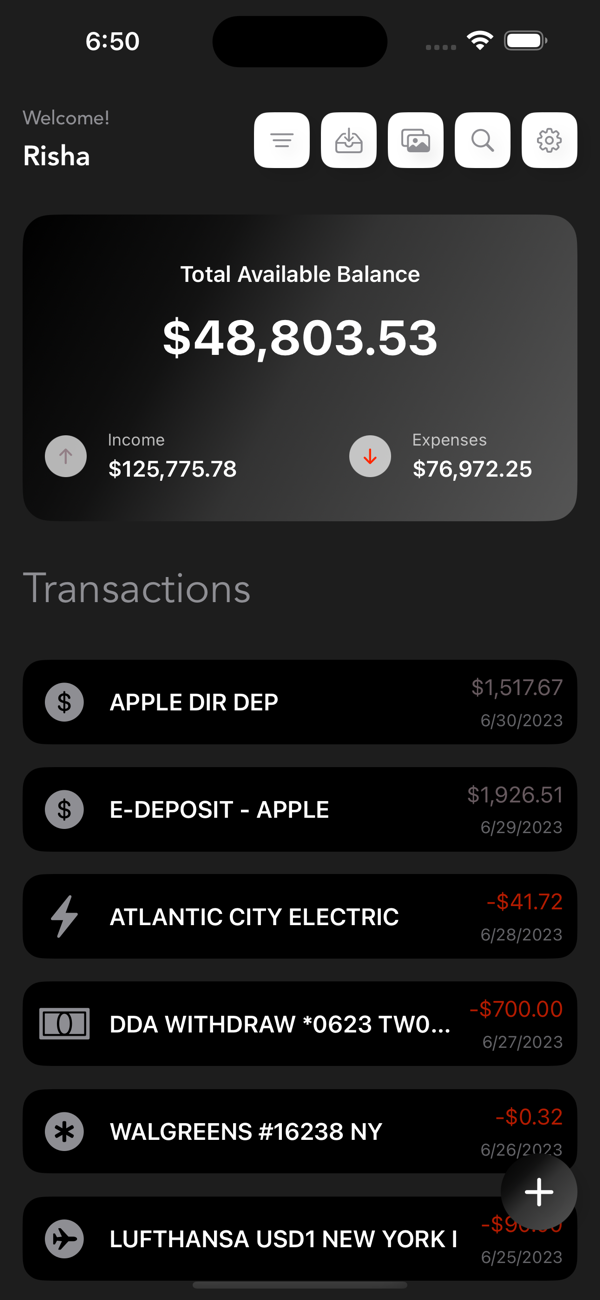
Welcome to the SpendMaster App, your all-in-one solution for effortless expense management. With a comprehensive range of features, our app helps you stay organized, gain financial insights, and take control of your spending habits.
Key Features:
Import Expenses from CSV:
Seamlessly import your expenses from CSV files, making it effortless to migrate your data with our CSV file support. Our app takes care of validating and processing the data, ensuring accuracy and integrity throughout the import process. Experience the convenience and efficiency of migrating your expense data effortlessly with our CSV import feature. Say goodbye to manual data entry and embrace the power of streamlined migration, saving you time and effort while ensuring the seamless continuity of your financial records. Begin your journey towards effortless expense management today.
Add Expenses from Images:
Streamline your expense entry process by adding expenses directly from images. Simply select the photo button, select image having transactions details like date, remark & amount, and our app will process the image to extract relevant details. Verify and modify the information before adding it to your expense records. Ensure each expense has the correct type and subcategory for accurate categorization. It's a time-saving feature that simplifies the expense entry process.
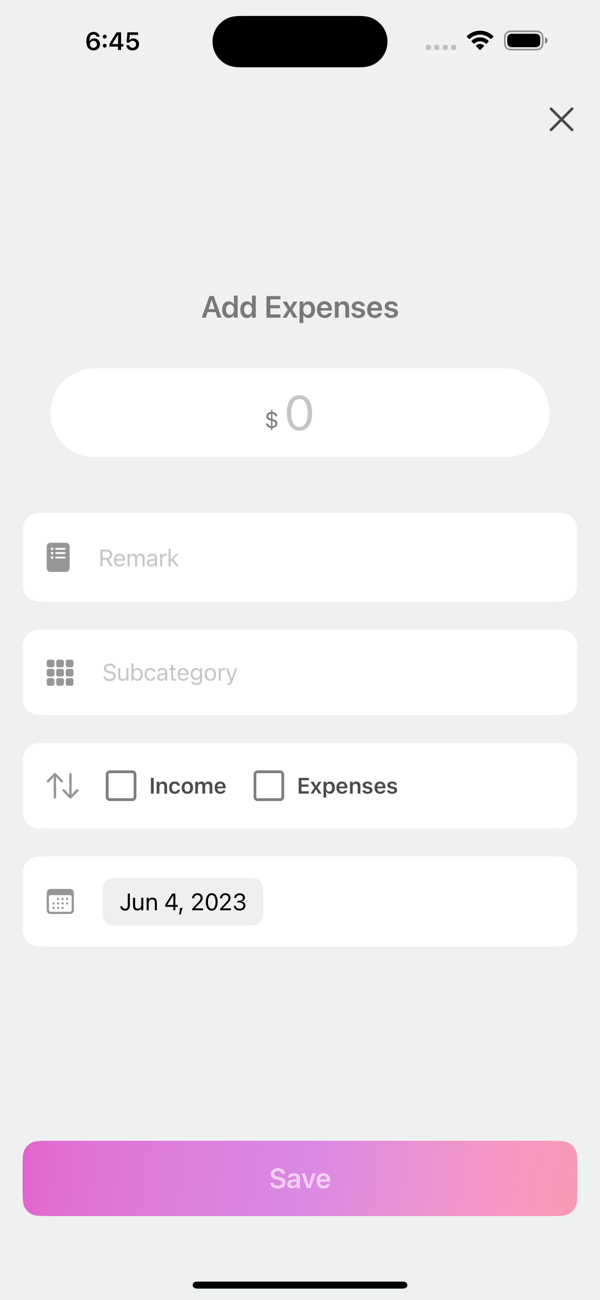
Add New Expenses:
Creating expense records is a breeze with our intuitive interface. Tap the plus button on the home screen to enter the amount, select a subcategory, and choose the date. Specify income or expense types, enabling detailed financial tracking. Save the entry, and you're done! Start your experience today and unlock the power of seamless expense recording, ensuring accurate and comprehensive financial management.
Stocks & Investment Tracking:
Easily add and manage your investments along with daily expenses. View category-wise breakdowns and charts to understand how your money grows.
Expense Filtering and Bar Chart View:
Effortlessly filter your expenses based on type and date range. Apply your chosen filters to view a refined expense list. Additionally, our interactive bar chart provides visual summaries of monthly expenses by subcategory. Scroll horizontally to navigate through the chart and tap any subcategory for a detailed breakdown of transactions. Gain valuable insights into your spending patterns and make informed financial decisions. Furthermore, our app offers a valuable feature within the bar chart view that compares your current expenses with the previous month.
Search, Update, and Delete Expenses:
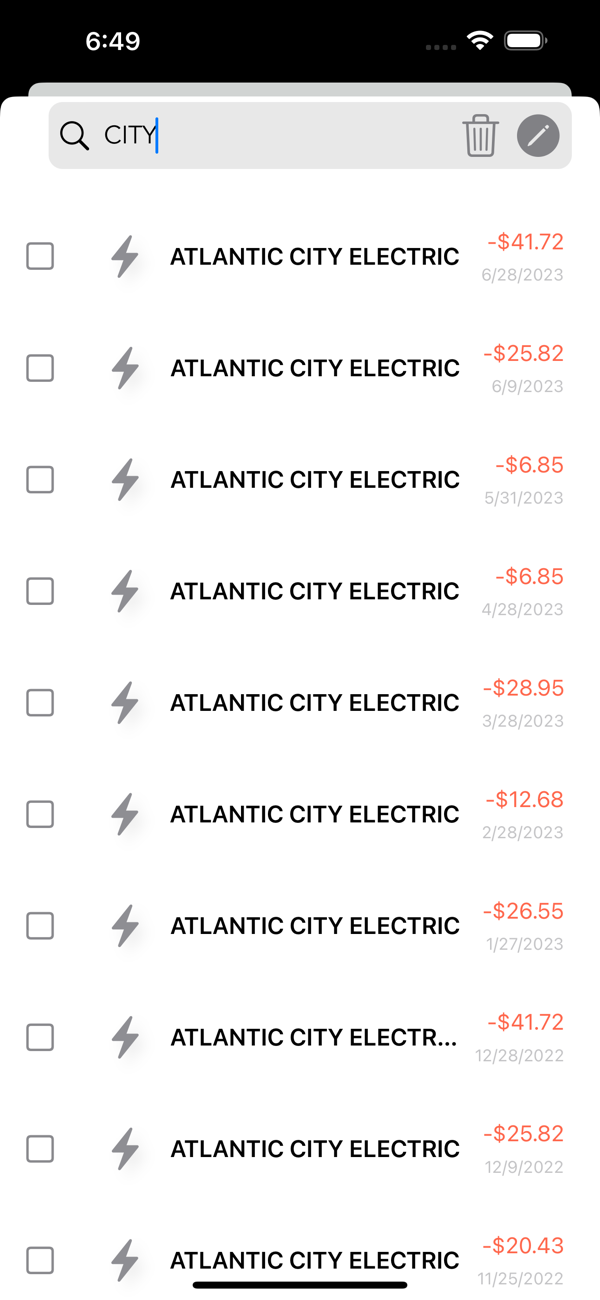
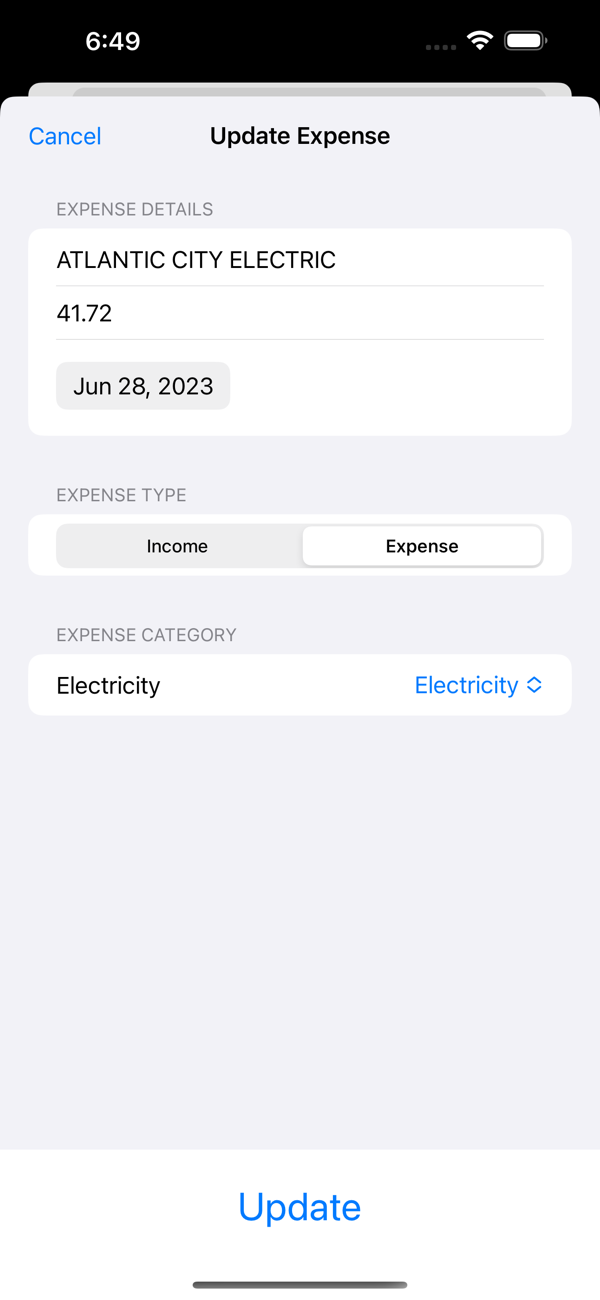
Find specific expenses with ease using our search feature. Search by remarks, date, or subcategory to quickly locate transactions. Deleting or updating expenses is straightforward, with dedicated buttons for each action. Update expenses one by one, ensuring accuracy and control over your financial records. Our app provides a seamless experience, allowing you to focus on what matters most - your financial goals.
AI-Powered Finance Chat:
Get instant answers about your finances using smart AI assistance. Ask questions about your spending, budgets, or trends and receive personalized insights in seconds. You stay in control — connect your preferred AI provider and use the feature on your terms.
Spending Insights:
Spending Insights gives you a clear view of your finances with category pie charts, spending trends over time, and smart forecasts—helping you understand patterns, plan ahead, and stay in control of your money.
Privacy & Security:
We prioritize the privacy and security of your personal information. We want to assure you that we do not collect or share any of your data. Your financial information is kept strictly confidential and remains solely within your device. Your privacy and trust are of utmost importance to us, and we are dedicated to providing you with a secure and trustworthy experience.
Note: SpendMaster requires iOS 15 or later.

 +100宝石


 分享
分享
























用户评价
立即分享产品体验
你的真实体验,为其他用户提供宝贵参考
💎 分享获得宝石
【分享体验 · 获得宝石 · 增加抽奖机会】
将你的产品体验分享给更多人,获得更多宝石奖励!
💎 宝石奖励
每当有用户点击你分享的体验链接并点赞"对我有用",你将获得:
🔗 如何分享
复制下方专属链接,分享到社交媒体、群聊或好友:
💡 小贴士
分享时可以添加你的个人推荐语,让更多人了解这款产品的优点!
示例分享文案:
"推荐一款我最近体验过的应用,界面设计很精美,功能也很实用。有兴趣的朋友可以看看我的详细体验评价~"
领取结果