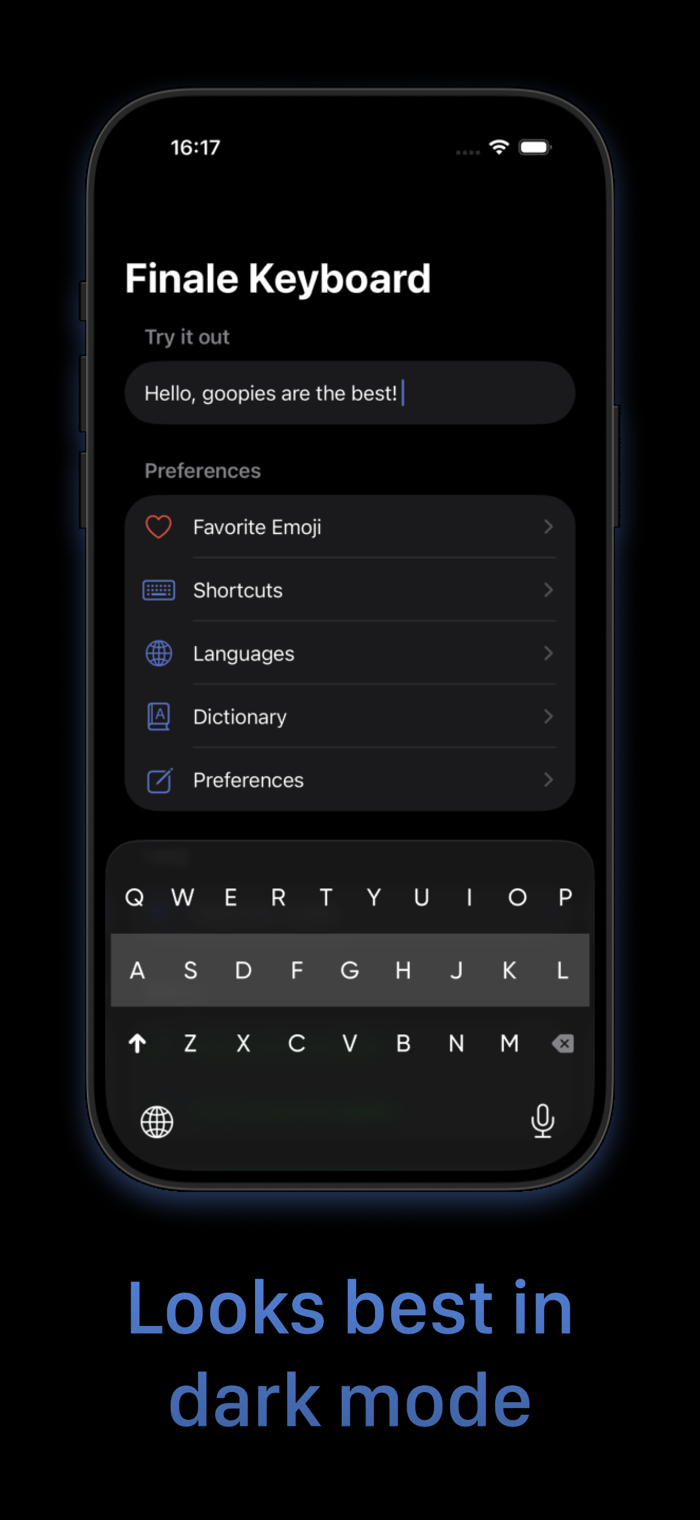
Finale Keyboard is a gesture-based minimal keyboard loaded with smart features to help you type faster. Ever used Fleksy (R.I.P)? You'll feel right at home. A new, freshly renovated, modern home.
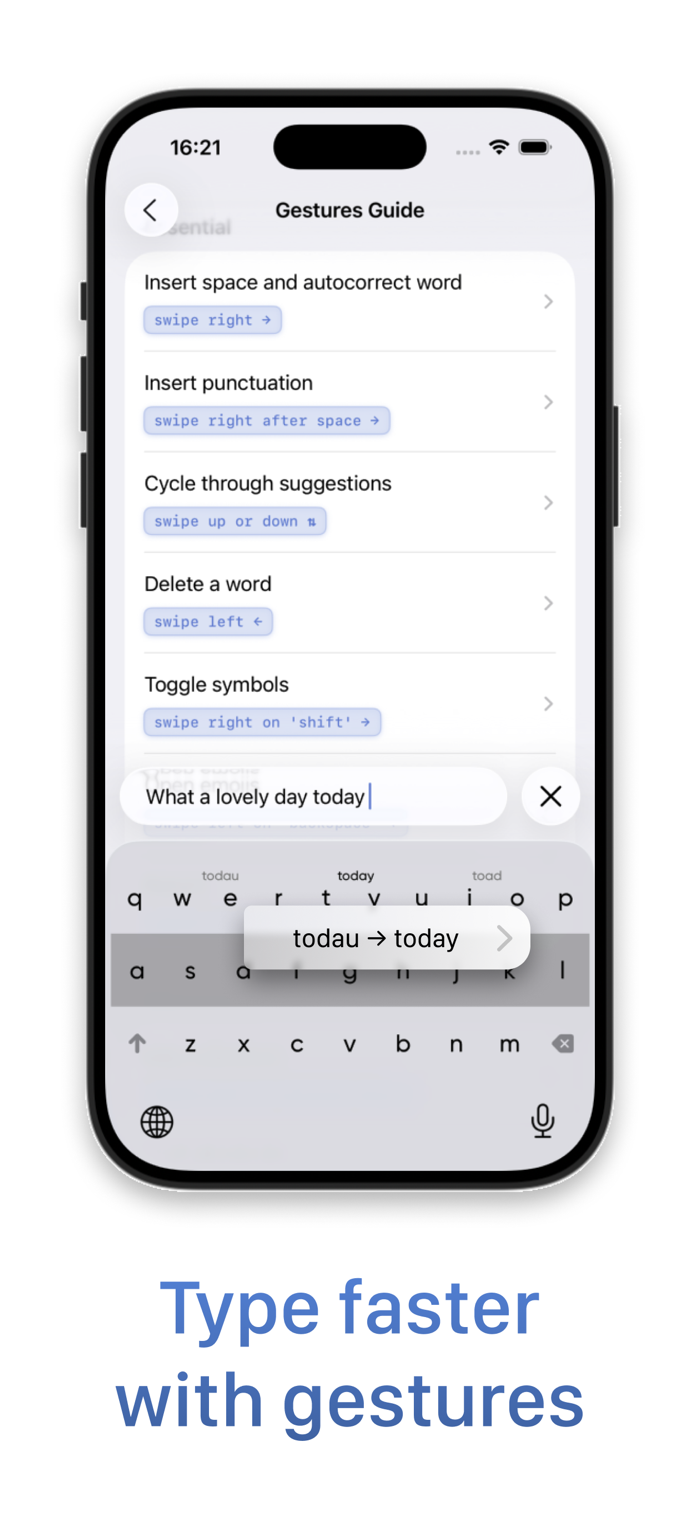
Finale Keyboard is not your typical keyboard. While you type characters as usual, most other actions - like inserting spaces, autocorrecting, adding punctuation, and more - are done using swipe gestures.
Gestures allow you to type much faster than traditional keyboards. While they may take a few days to get used to, once they become second nature, you won't want to type without them.
Finale Keyboard also has the smallest footprint of any keyboards available on iPhone. So, not only will you type faster, but you'll also reclaim valuable screen real estate.
-- Features --
- Smallest keyboard for the iPhone:
Save your screen real estate for what matters the most.
- Easy-to-master gestures that let you type faster:
Type blazingly fast with convenient gestures for your most important actions.
- Smart autocorrect:
Swipe right after typing a word to quickly autocorrect it and insert a space. Don't worry about typos - Finale will take care of misspellings for you.
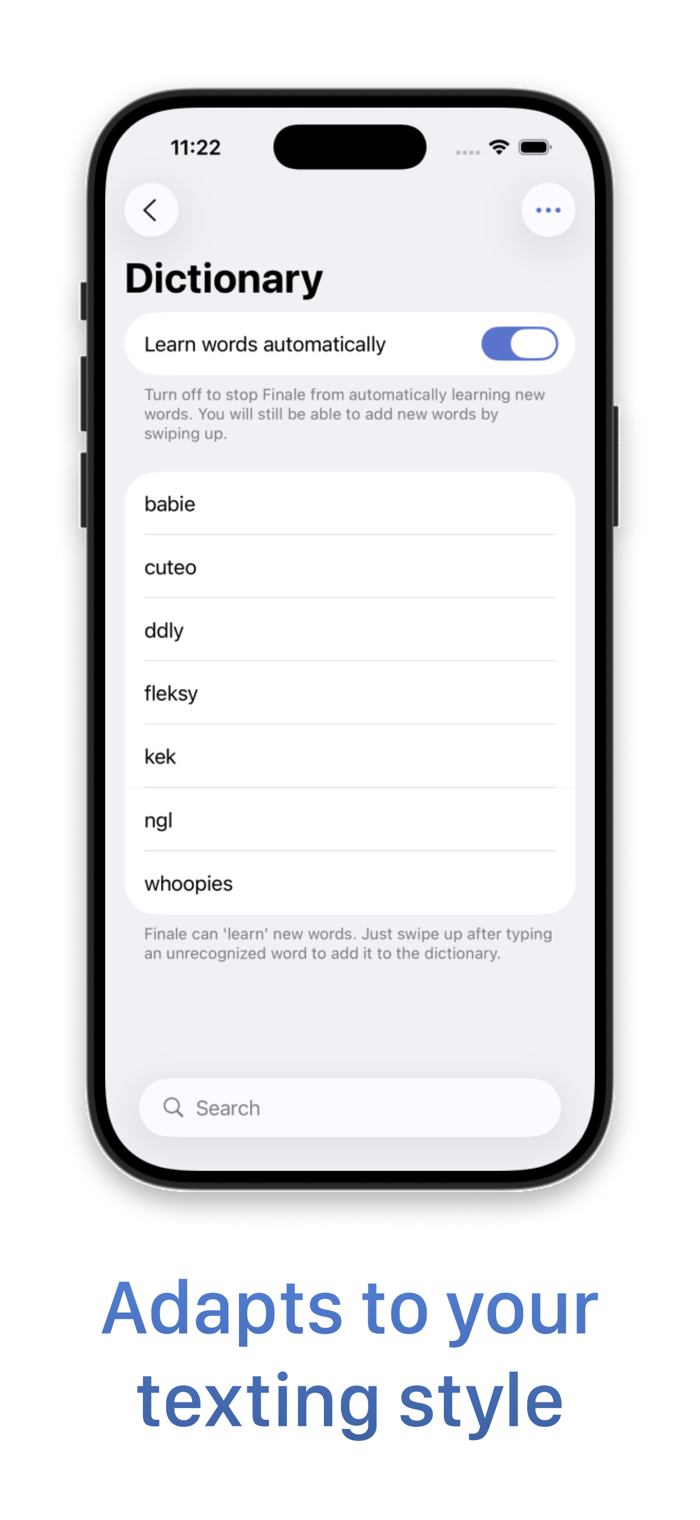
- Learns your vocabulary:
Often use "gonna", "wanna", "yaaas", or have your own unique slang? Finale Keyboard will automatically learn words you type often and add them to its dictionary.
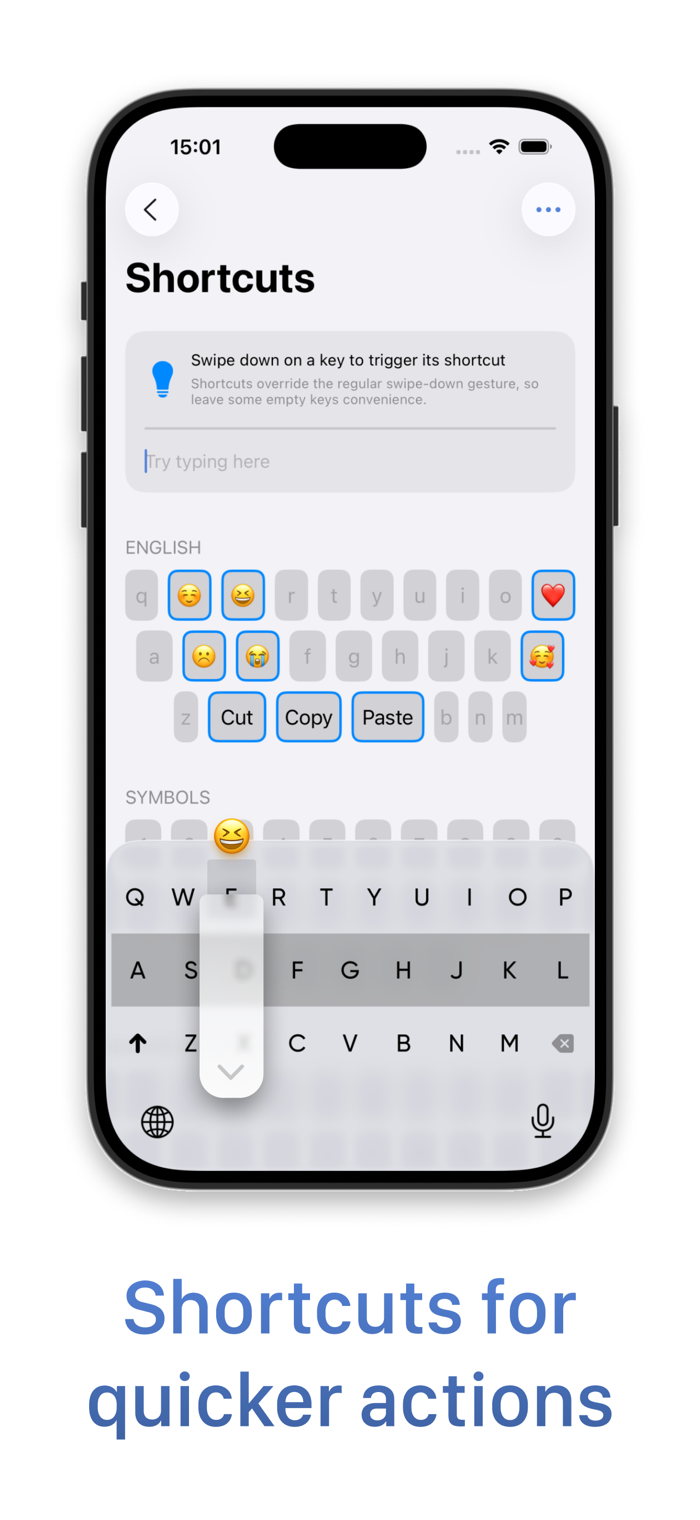
- Shortcuts
Add shortcuts to any key and...


 +100宝石

 分享
分享














用户评价
立即分享产品体验
你的真实体验,为其他用户提供宝贵参考
💎 分享获得宝石
【分享体验 · 获得宝石 · 增加抽奖机会】
将你的产品体验分享给更多人,获得更多宝石奖励!
💎 宝石奖励
每当有用户点击你分享的体验链接并点赞"对我有用",你将获得:
🔗 如何分享
复制下方专属链接,分享到社交媒体、群聊或好友:
💡 小贴士
分享时可以添加你的个人推荐语,让更多人了解这款产品的优点!
示例分享文案:
"推荐一款我最近体验过的应用,界面设计很精美,功能也很实用。有兴趣的朋友可以看看我的详细体验评价~"
关注 Mergeek 公众号
领奖遇到问题?联系小门助手