产品功能

应用市场介绍

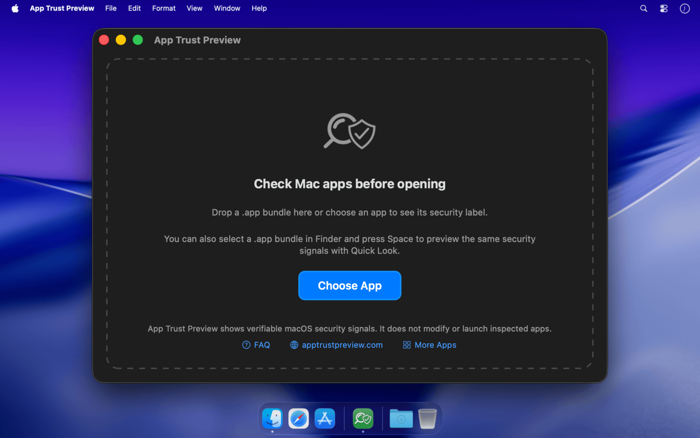
App Trust Preview helps you understand a Mac app before you open it.

In plain language, not developer jargon, it shows what macOS can verify about an app's identity, protections, permissions, and internal components. The goal is simple: help you decide whether opening an app looks reasonable.

Everything happens locally:

- Inspects .app bundles entirely on your Mac
- Never uploads the inspected app
- Never launches the inspected app
- Never modifies the inspected app
- Uses macOS's own trust system for certificate revocation checks
- Makes no network requests of its own

Plain-language security reports:

- Drop an app onto the window
- Choose an app from Finder
- Select a .app bundle in Finder and press Space to use the included Quick Look preview

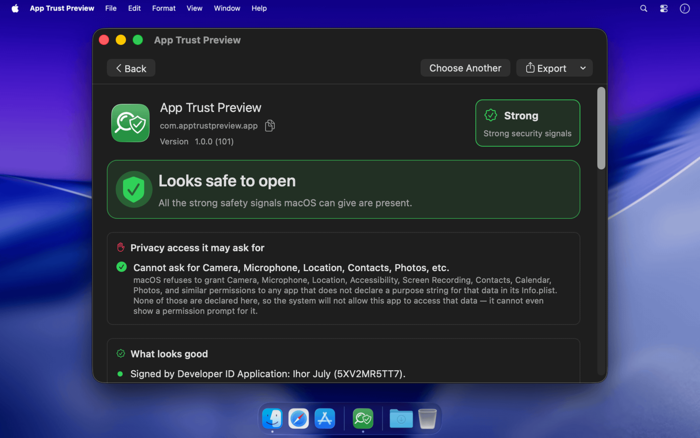
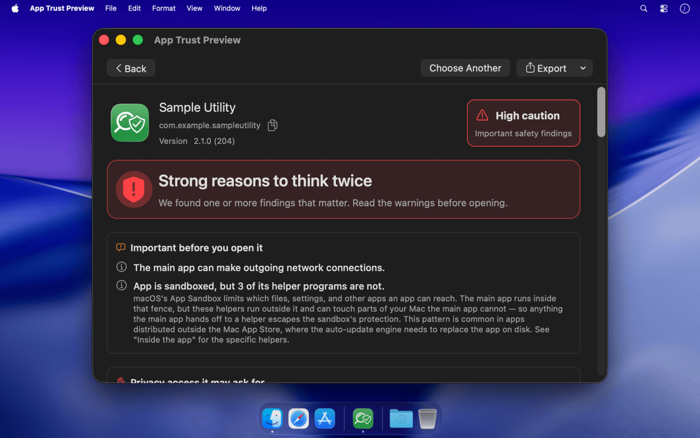
Each report starts with a clear verdict:

- Looks safe to open
- Use caution
- Strong reasons to think twice

Important before you open it:

- Highlights the findings that matter most
- Explains them in practical language
- Shows issues like unsandboxed helpers, network access, Apple Events access, unsigned components, or invalid signatures

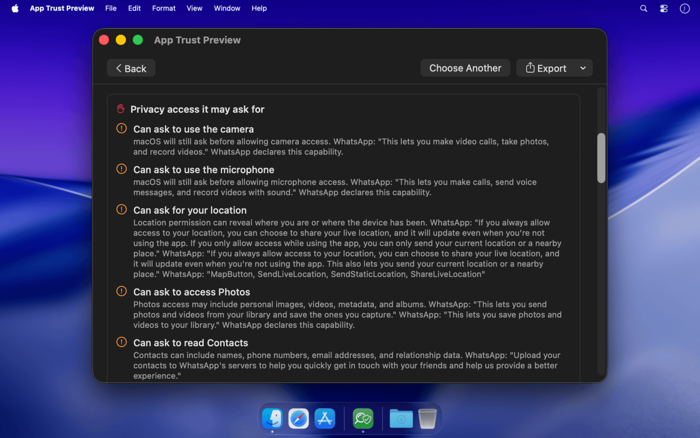
Privacy access it may ask for:

- Camera
- Microphone
- Location
- Contacts
- Calendar
- Photos
- Bluetooth
- Apple Events
- USB
- Other sensitive capabilities

If an app has not declared the required purpose string in its Info.plist, macOS will refuse to grant that permission. App Trust Preview shows that clearly instead of turning it into unnecessary fear.

What looks good:

- Signed developer identity
- App Sandbox
- Hardened Runtime
- Non-revoked signing certificate
- Signed and limited internal helpers
- No declared outgoing network access

Who made this app:

- Developer name
- Team ID
- Bundle identifier
- Signing information from the app's code signature

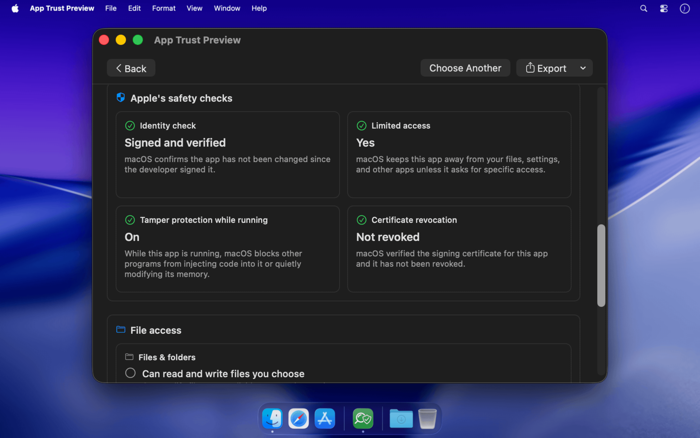
Apple's safety checks:

- Identity check
- Limited access through App Sandbox
- Tamper protection through Hardened Runtime
- Certificate revocation status

These signals come from public macOS APIs and local bundle inspection.

What this app can do:

- Internet
- Files and folders
- Privacy
- Other apps
- iCloud
- Keychain
- App groups
- Associated domains
- Hardened Runtime exceptions

Instead of only listing technical entitlement names, the report explains what those capabilities mean.

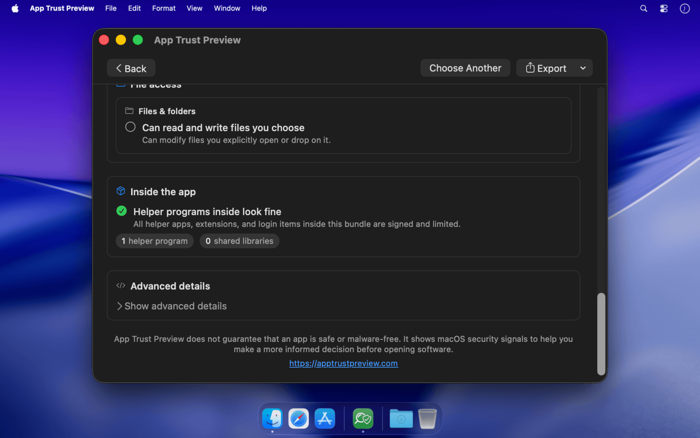
Inside the app:

- Helper tools
- Nested apps
- App extensions
- XPC services
- Frameworks
- Dynamic libraries
- Plug-ins

Each component is checked for signing status and sandbox state. This helps reveal cases where a main app is sandboxed, but bundled helper programs are not.

Advanced details for power users:

- Certificate chain
- Certificate fingerprints
- Certificate validity dates
- CDHashes
- Designated requirement
- Embedded provisioning profile
- Mach-O architectures
- Linked libraries
- Entitlements

Honest verdicts:

- App Trust Preview is not antivirus
- It does not guarantee that an app is safe or malware-free
- It shows macOS security signals that can be verified from an app bundle on disk
- It explains what those signals mean in everyday words

Export and share:

- PDF
- PNG image
- JSON
- Plain text

Reports are useful for bug reports, IT review, app research, support requests, or personal records.

Built for everyday users:

- You do not need to know what "Hardened Runtime" means
- You do not need to understand entitlements
- You do not need to read code-signing output

App Trust Preview explains the practical result: what the app can access, what macOS will block, where protections are strong, and where you may want to look closer.

收起

用户评价

立即分享产品体验

你的真实体验,为其他用户提供宝贵参考

宝石
评论可得 100 宝石
宝石随心兑换应用高级会员,每周更新 前往查看 >>
活动动态 0 人参加
查看更多评论