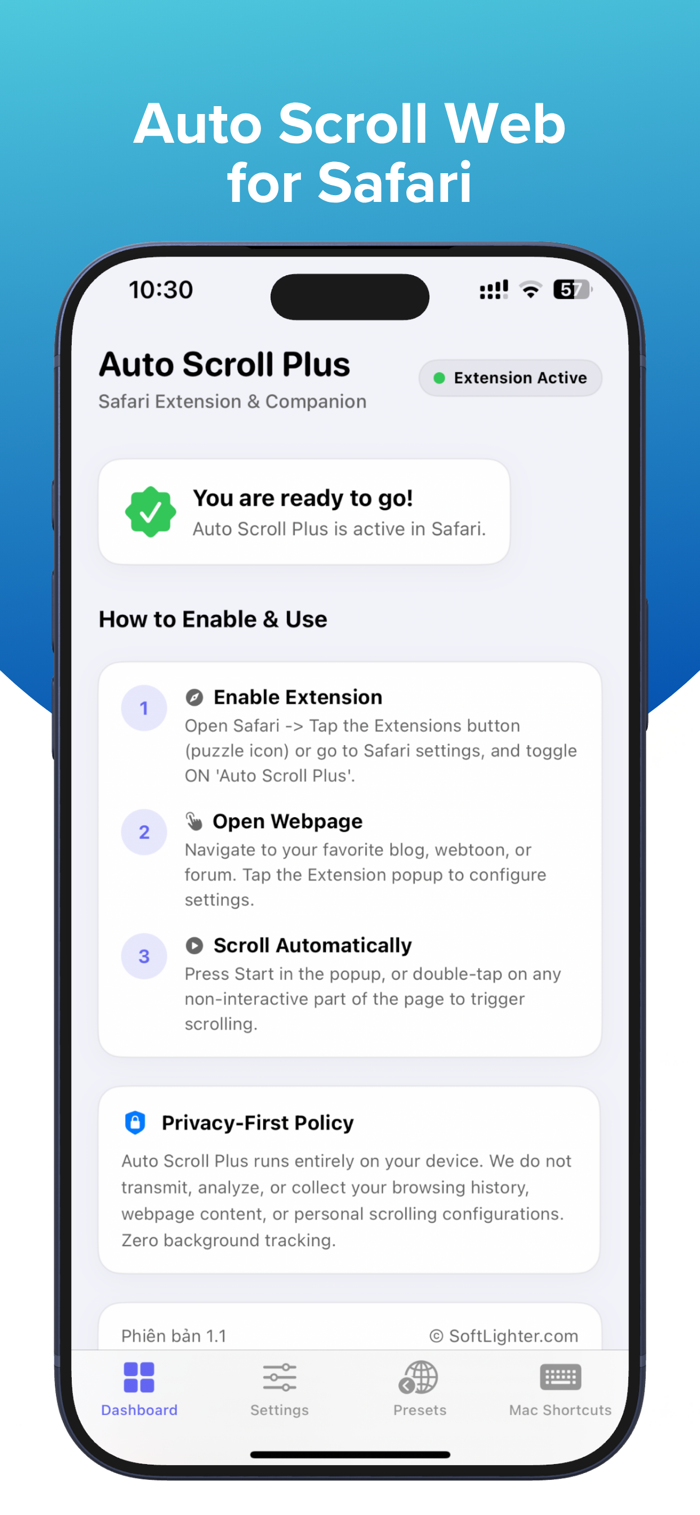
Auto Scroll Plus is a Safari extension that scrolls webpages for you, so you can read and browse more comfortably without constant swiping. It’s great for news, blogs, forums, articles, webtoons, and other long pages in Safari.
With Swipe Mode, Auto Scroll Plus can also help you move through supported vertical feeds more comfortably. The app is designed to reduce hand fatigue, stay lightweight, and keep the experience simple.
Included Features
Auto Scroll for Safari.
Swipe Mode for supported vertical feeds.
Adjustable scroll speed.
Timer control.
Pause and resume anytime.
Double-tap to start or stop on iPhone and iPad.
Optional + / - speed buttons in the extension popup.
Lightweight operation with no unnecessary background activity.
Privacy
100% local operation.
No browsing history is collected or transmitted.
No usage history is collected or transmitted.
Device Support
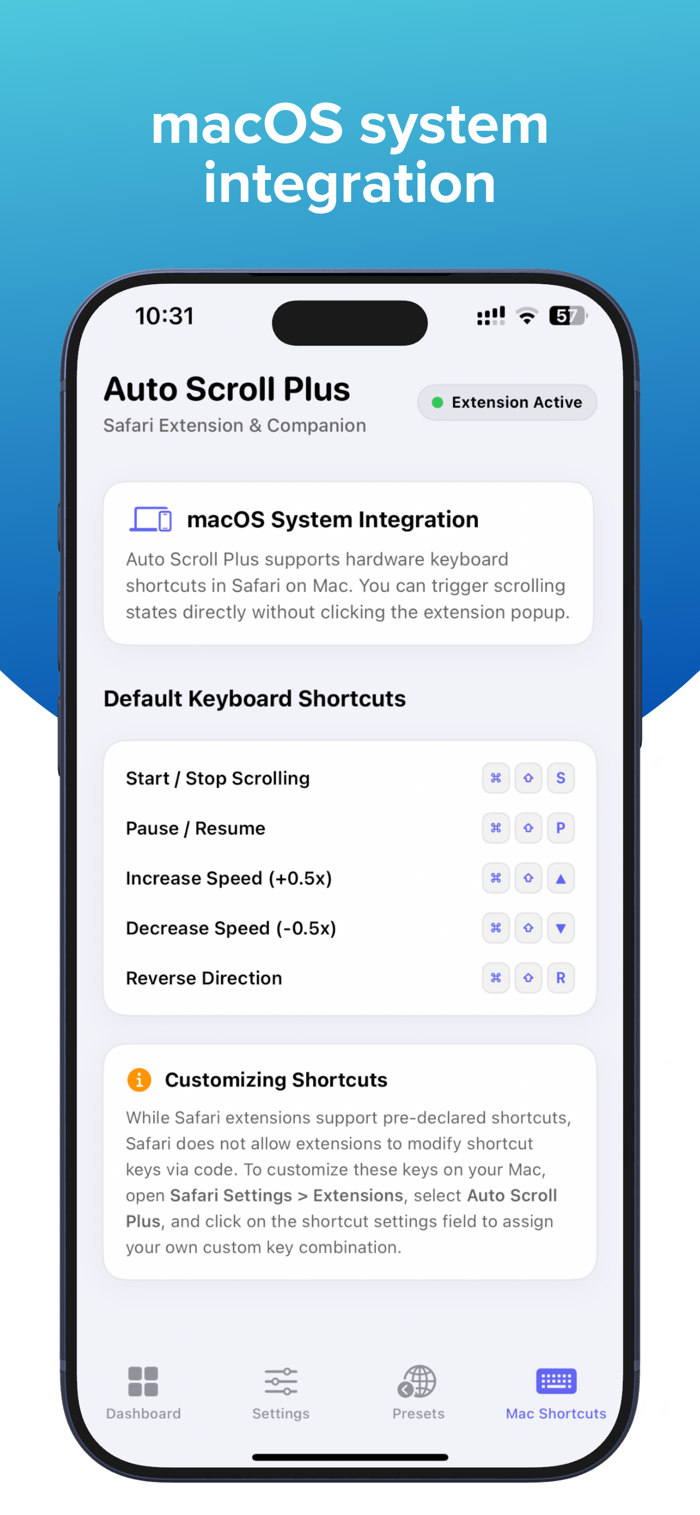
Works with Safari on iPhone, iPad, and Mac.
Some gesture-based controls are available only on iPhone and iPad. Safari extensions are supported across Mac, iPhone, and iPad, and users enable them in Safari settings on each platform.
How to Enable the Extension
On iPhone and iPad: Go to Settings, open Safari, tap Extensions, select Auto Scroll Plus, and turn on Allow Extension.
On Mac: Open Safari, go to Safari > Settings, click Extensions, and enable Auto Scroll Plus.
Notes
On some websites, or ...


 +100宝石


 分享
分享















用户评价
立即分享产品体验
你的真实体验,为其他用户提供宝贵参考
💎 分享获得宝石
【分享体验 · 获得宝石 · 增加抽奖机会】
将你的产品体验分享给更多人,获得更多宝石奖励!
💎 宝石奖励
每当有用户点击你分享的体验链接并点赞"对我有用",你将获得:
🔗 如何分享
复制下方专属链接,分享到社交媒体、群聊或好友:
💡 小贴士
分享时可以添加你的个人推荐语,让更多人了解这款产品的优点!
示例分享文案:
"推荐一款我最近体验过的应用,界面设计很精美,功能也很实用。有兴趣的朋友可以看看我的详细体验评价~"
关注 Mergeek 公众号
领奖遇到问题?联系小门助手