NaviBeat

NaviBeat

多设备通用音乐播放,无订阅广告追踪

创作者
Nenad Jokic

NaviBeat可将个人音乐库作为单一通用购买,带到iPhone、iPad、Mac、Apple TV和Apple Watch等所有苹果设备。一次付费即可拥有,无订阅、广告、追踪,无需NaviBeat云,音乐存于自己服务器。它是Navidrome的高级客户端,Navidrome是免费开源的自托管音乐流服务器,可在NAS等设备上运行。NaviBeat连接后,能在各苹果设备上流畅播放,在iPhone和iPad上可全库浏览、语音及文本搜索等,在Mac上有原生应用及MiniPlayer模式等。

COMMUNITY PERKSMergeek 社区专属福利
独家限免 NEW每天发现一份惊喜
PRODUCT SCREENS / 10

点击查看界面细节

NaviBeat 产品截图 1NaviBeat 产品截图 2NaviBeat 产品截图 3NaviBeat 产品截图 4NaviBeat 产品截图 5NaviBeat 产品截图 6NaviBeat 产品截图 7NaviBeat 产品截图 8NaviBeat 产品截图 9NaviBeat 产品截图 10

NaviBeat brings your own music library to every Apple device you own: iPhone, iPad, Mac, Apple TV, and Apple Watch, plus CarPlay, as a single Universal Purchase. Pay once.

No subscriptions. No ads. No tracking. No NaviBeat cloud. Your music stays on your own server, exactly where you put it. NaviBeat just plays it, beautifully.

ABOUT NAVIDROME

NaviBeat is a client for Navidrome, the free and open-source self-hosted music server. Run Navidrome on a NAS, a Raspberry Pi, a VPS or any machine you control, and NaviBeat streams your collection to every Apple device. Airsonic-Advanced, Gonic and any OpenSubsonic server work too.

ON iPHONE & iPAD
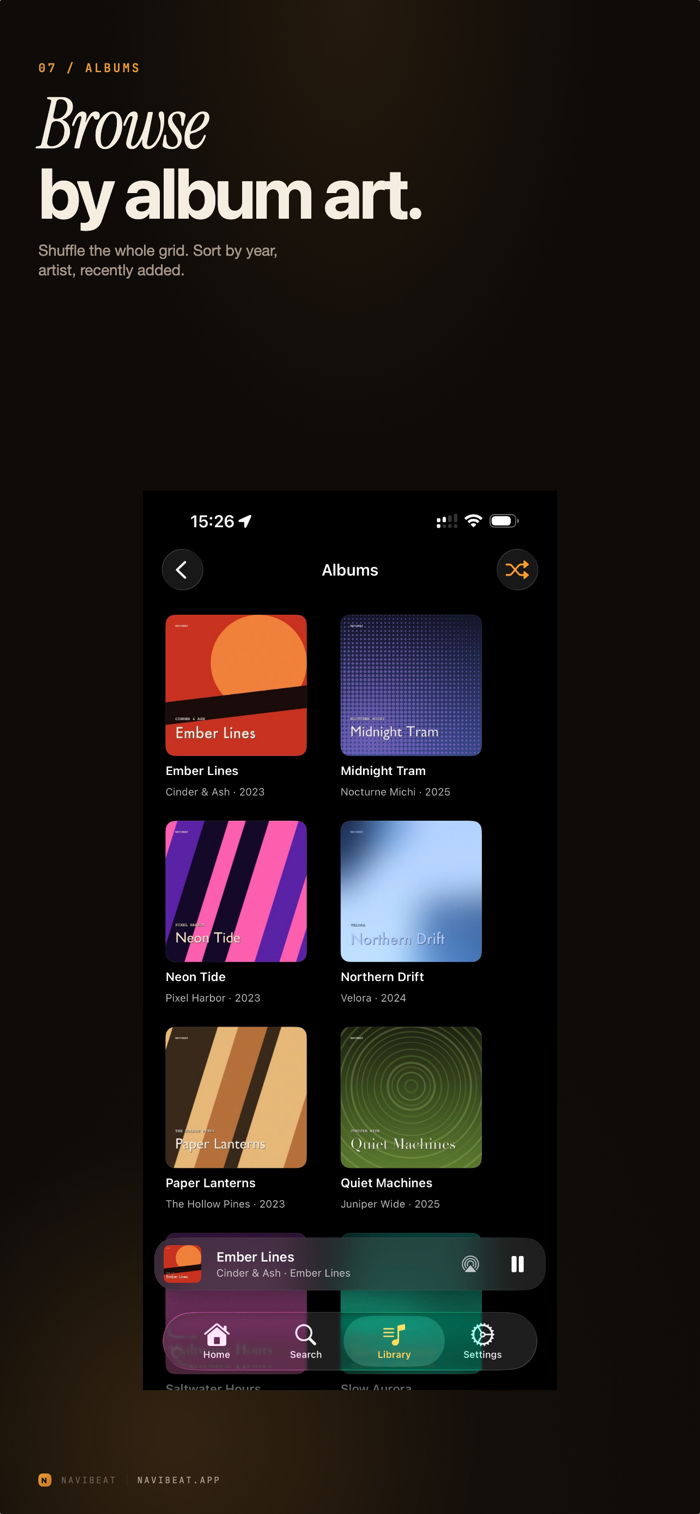
- Browse artists, albums, playlists and genres
- Voice and text search with live results
- Now Playing with synced lyrics
- Background audio, Control Center, AirPlay, Lock Screen and Home Screen widgets
- Offline: keep a song, an album, a playlist or a whole artist on the device
- Listening Stats: a 24-hour clock, a weekday heatmap, your top artists and songs
- Smart Playlists you write yourself, from rating, genre, year, play count and more, kept current and synced across your devices
- Start on one device and carry on with another. The device you left pauses itself

IN THE CAR

- Full CarPlay support, included in the same purchase
- Your library, playlists, downloads and Now Playing on the car screen
- Voice search that resolves the play command against your own library, not a streaming catalogue, in all 12 of the app's languages

ON MAC

- A real Mac app, not a phone app in a window
- A Mini Player that pins over any window
- Keyboard shortcuts, multi-window and directory browsing, desktop widgets
- NaviSyncRock: sync your library to a Rockbox player. Your server does the transcoding, art is re-encoded so it renders, and plays sync back. A separate one-time in-app unlock.

ON APPLE TV

- Cinema-scale artwork and discovery shelves
- Recently Played, Most Played, Rediscover, On This Day, Because You Listened To
- Voice search…


版本

1.5.5

NEW IN THIS VERSION

Popular songs. A flame in front of the track number marks up to three popular songs on each album. Settings, Popular songs picks the source: your server (the default), Last.fm, ListenBrainz or Off.

The Now Playing widget works away from home and in Offline Mode, using your downloads. A radio station shows the song it announces, with that song's cover. On the small widget the play button sits in the bottom right corner.

Home: Now Playing on This Server shows what others on your server are playing. It is off; turn it on in Customise Home.

Listening Stats work without a Last.fm account and show Most played on your server. They open at once from a saved copy.

Shuffle Mix, Songs Shuffle, genre shuffle, CarPlay, Siri and the Shuffle Library shortcut never start on the song that is already playing. Siri's "play music" keeps out what you excluded from shuffle.

CarPlay: New picks is the first tile of Random Picks.

Crossfade: songs played in order from one album are not crossfaded. Shuffled playlists still crossfade.

Album names dim their version part, like "[2019 Super Deluxe Edition]", with the Dim version text switch.

Manage Playlists: with Recent Playlists shown, the full list has its own Playlists header.

Refresh Lyrics in the song menu asks your server again for the lyrics.

Airsonic Advanced servers connect.

FIXED

iPad on iPadOS 17: signing in no longer freezes on the Connecting screen. Downloads, Search and Home in Offline Mode stay quick with thousands of downloaded songs. A downloaded song whose clock ran on past its end moves to the next song. Mono MP3 albums play the next song from its first note. Get Info no longer shows Bit Depth 0 for MP3. And many smaller fixes.

查看完整更新记录 ↗

你的真实体验,为其他用户提供宝贵参考,获得宝石奖励

REWARD MARKET100 宝石可兑换什么?

还没有公开评论,欢迎分享你的体验。

提交反馈

每一个想法,都让 Mergeek 更好一点。