产品功能

应用市场介绍

Trendwell doesn't score your health. It classifies how your body is responding — stable, variable, or shifted — from continuous Apple Watch data. Daily and weekly reports that show what's happening, never what to do.
Requires iOS 18.6 or later. Apple Watch recommended — complete reports need its HRV, sleep, and route data; other Apple Health sources cover only part. Wear it consistently — including during sleep.
——
YOUR RECOVERY START DATE
Set a Recovery Start Date when you first open Trendwell. Many users anchor this to a surgery, a cardiac event, or the start of a health challenge. From that date, Trendwell reads your existing Apple Health data — resting heart rate, HRV, sleep, and activity across the full window since that day.
You don't wait for data to accumulate. The history is already there. From day one, you see whether your resting heart rate is settling, whether your body is becoming more stable, and how far you've come since you started.
——
WHAT IT DOES
Instead of a dashboard of numbers, you see a classified state — stable, variable, or shifted — with the key dimensions that produced it. No scores. No coaching. No targets.
Each daily report includes:
· How your body is responding today (stable / variable / shifted)
· Load, sleep, and recovery indicators
· Trend direction across multiple dimensions
· Heart rate evaluated against the actual elevation you climbed — not a flat-ground average
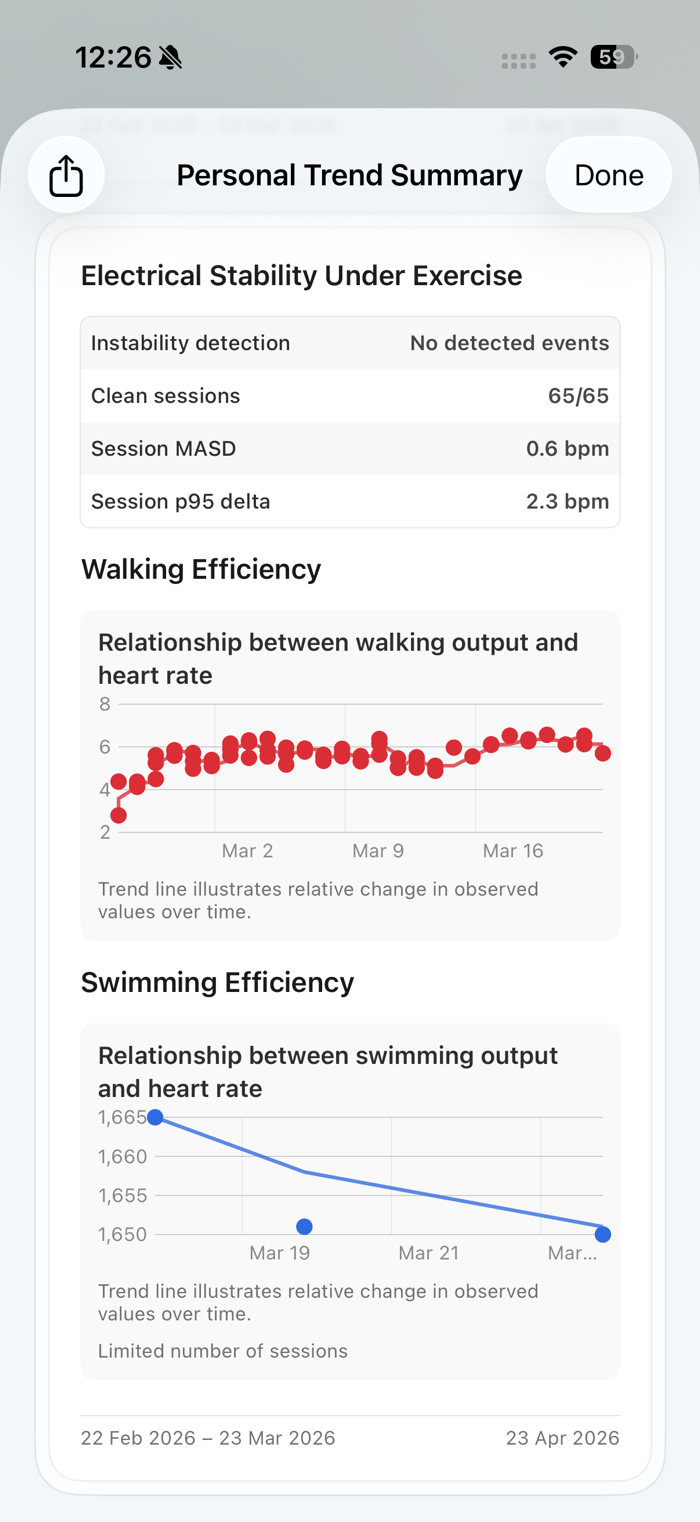
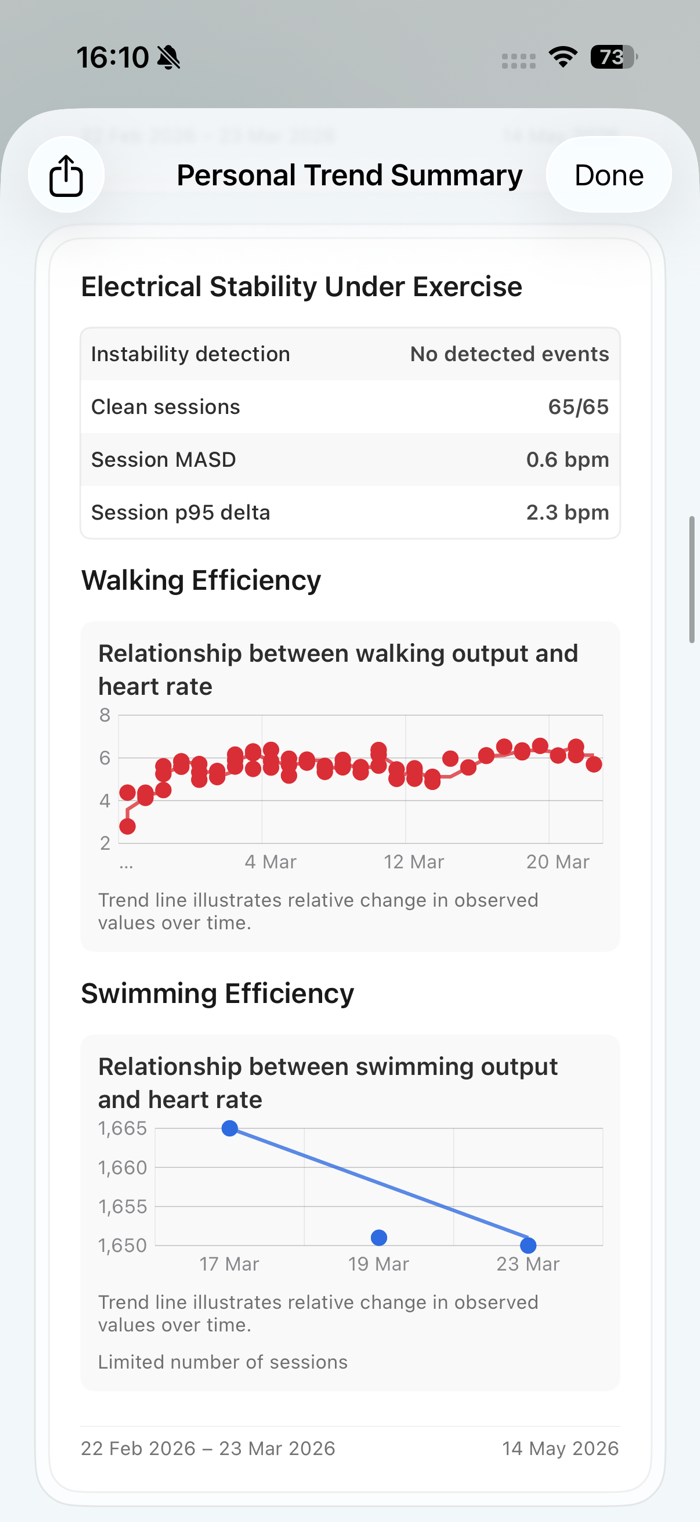
· Cardiac electrical stability classification across every session
ELEVATION-AWARE HEART RATE
A high heart rate going uphill is expected. It only matters when it's high on flat ground. Trendwell evaluates your heart rate against the terrain and elevation of your actual route — the difference between a number and a conclusion.
Each weekly report adds:
· State consistency across the full week (e.g. stable 7 of 7 days)
· Trend direction over time for heart rate, HRV, and recovery load
· Structured interpretation in a single view — not a wall of raw charts
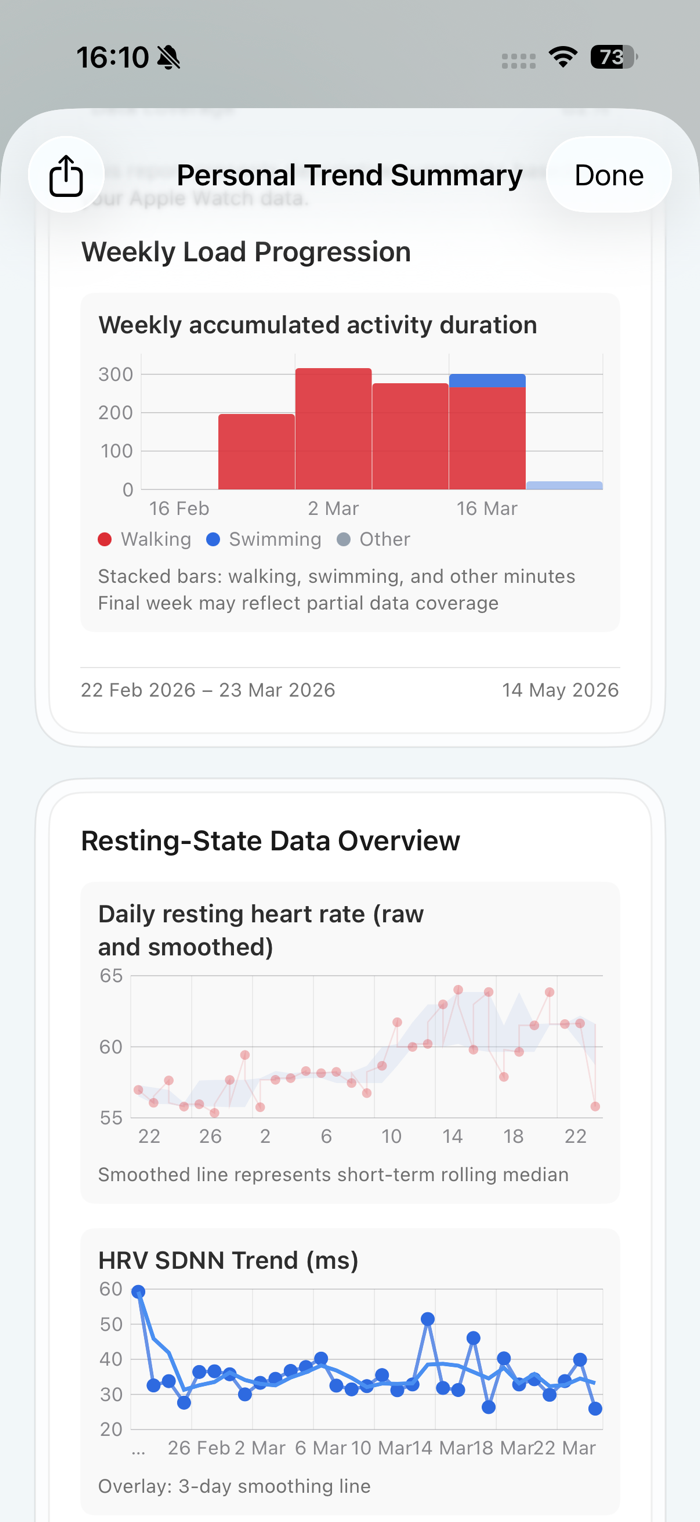
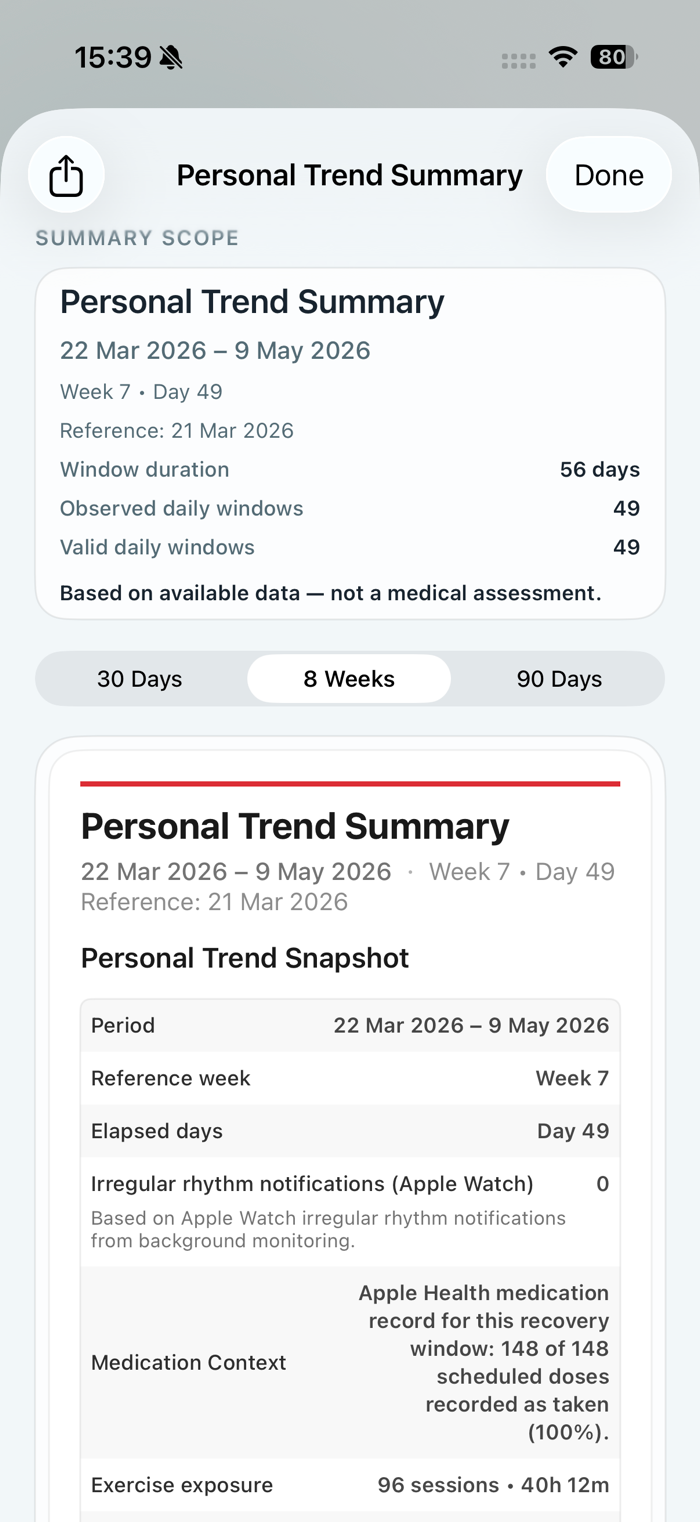
Export everything as a Personal Trend Summary — a multi-page PDF covering load, resting heart rate, HRV, electrical stability, and efficiency trends across your full window. Keep it, or share it.
——
HOW IT WORKS
Apple Watch collects your heart rate, HRV, sleep, and activity continuously. Trendwell reads it from Apple Health — no manual input. A rule-based system produces every conclusion: the same input always produces the same output, and each conclusion is traceable to the data behind it.
The result is always descriptive. Trendwell shows what your data indicates. It does not tell you what to do.
——
WEAR YOUR APPLE WATCH
For accurate, complete reports, wear your Apple Watch as much as possible — including during sleep. Recommended: 23+ hours daily. Remove only to shower or charge briefly.
Grant Apple Health access to Heart Rate, Heart Rate Variability (SDNN), Sleep Analysis, Workout, and Active Energy when prompted. Any dimension you deny will be incomplete.
——
WHAT TRENDWELL IS NOT
Trendwell is not a medical device and does not provide medical advice, diagnosis, or treatment recommendations. It is a structured interpretation tool for Apple Health data.
It is not a fitness coaching app. It does not tell you when to train, when to rest, or how to change your behaviour.
——
PRIVACY & PRICING
Reports are generated entirely on your device — your health data never leaves your iPhone, and is never sold or shared. Available on all iPhones running iOS 18.6 or later; generation time varies by device model.
Monthly subscription includes a 7-day free trial. Trendwell Forever is a one-time purchase for permanent access — no subscription required.
Auto-renewable subscriptions renew unless cancelled at least 24 hours before the end of the current period; manage or cancel anytime in your App Store account settings.
——
LEGAL
Terms of Use (EULA): https://www.apple.com/legal/internet-services/itunes/dev/stdeula/
Privacy Policy: https://klarhetstudio.com/privacy

收起

用户评价

立即分享产品体验

你的真实体验,为其他用户提供宝贵参考

宝石
评论可得 100 宝石
宝石随心兑换应用高级会员,每周更新 前往查看 >>
活动动态 0 人参加
查看更多评论