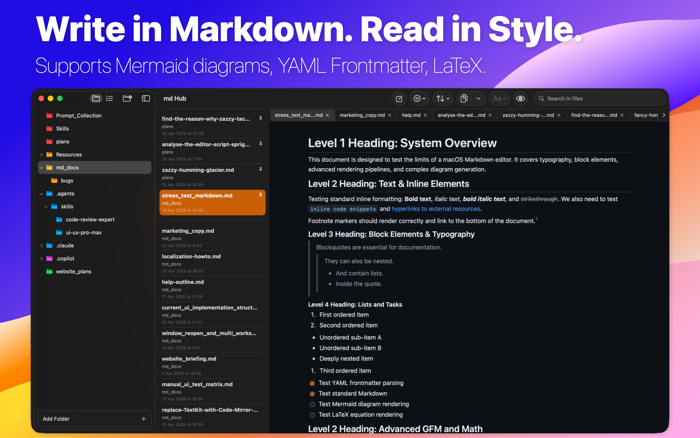
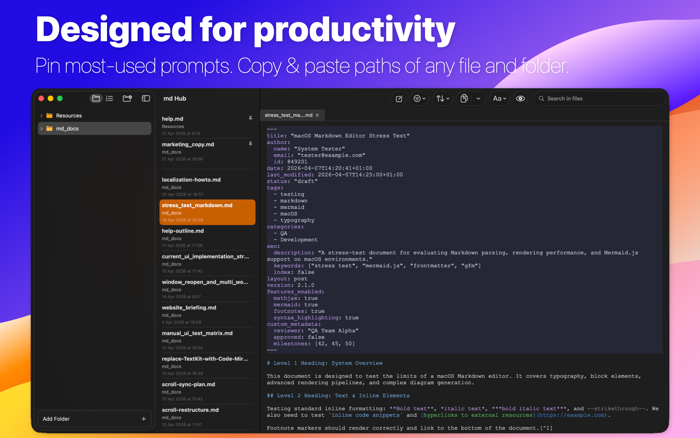
md Hub is an AI-native Markdown editor that your agents connect to directly via MCP, from the terminal or desktop apps. That lets you work on a Markdown file side by side with your AI. Yes, your IDE can basically do this too, but with md Hub you get direct access to all your projects, no matter which folders they live in.
WHAT MD HUB DOES DIFFERENTLY
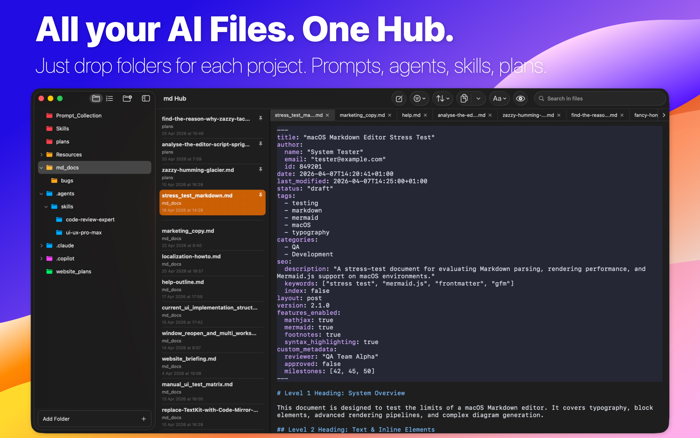
- Simply add project folders to the sidebar — prompts, skills, plans, specs, agent configs, blog posts, etc.
- Select any text block and give your AI a direct instruction. No copy-paste, no tab switch.
- Wrap content in markers so agents can scan, comment, and rewrite scoped sections.
- Copy any file or folder path in one click and drop it into your AI desktop app or terminal CLI.
- Switch between different AI projects with a single click without leaving the application.
md Hub is an AI-native Markdown editor that connects directly to your agents via MCP — so your LLMs work inside your documents, not alongside them.
WHAT MD HUB DOES DIFFERENTLY
- Select any text block and give your AI a direct instruction. No copy-paste, no tab switch.
- Wrap content in markers so agents can scan, comment, and rewrite scoped sections.
- Copy any file or folder path in one click and drop it into your AI desktop app or terminal CLI.
- Simply add project folders to the sidebar — prompts, skills, plans, specs, agent configs, blog posts, etc.
- Switch between diffe...


 +100宝石

 分享
分享














用户评价
立即分享产品体验
你的真实体验,为其他用户提供宝贵参考
💎 分享获得宝石
【分享体验 · 获得宝石 · 增加抽奖机会】
将你的产品体验分享给更多人,获得更多宝石奖励!
💎 宝石奖励
每当有用户点击你分享的体验链接并点赞"对我有用",你将获得:
🔗 如何分享
复制下方专属链接,分享到社交媒体、群聊或好友:
💡 小贴士
分享时可以添加你的个人推荐语,让更多人了解这款产品的优点!
示例分享文案:
"推荐一款我最近体验过的应用,界面设计很精美,功能也很实用。有兴趣的朋友可以看看我的详细体验评价~"
关注 Mergeek 公众号
领奖遇到问题?联系小门助手