Quirely Markdowns is the document editor that stores everything as Markdown.
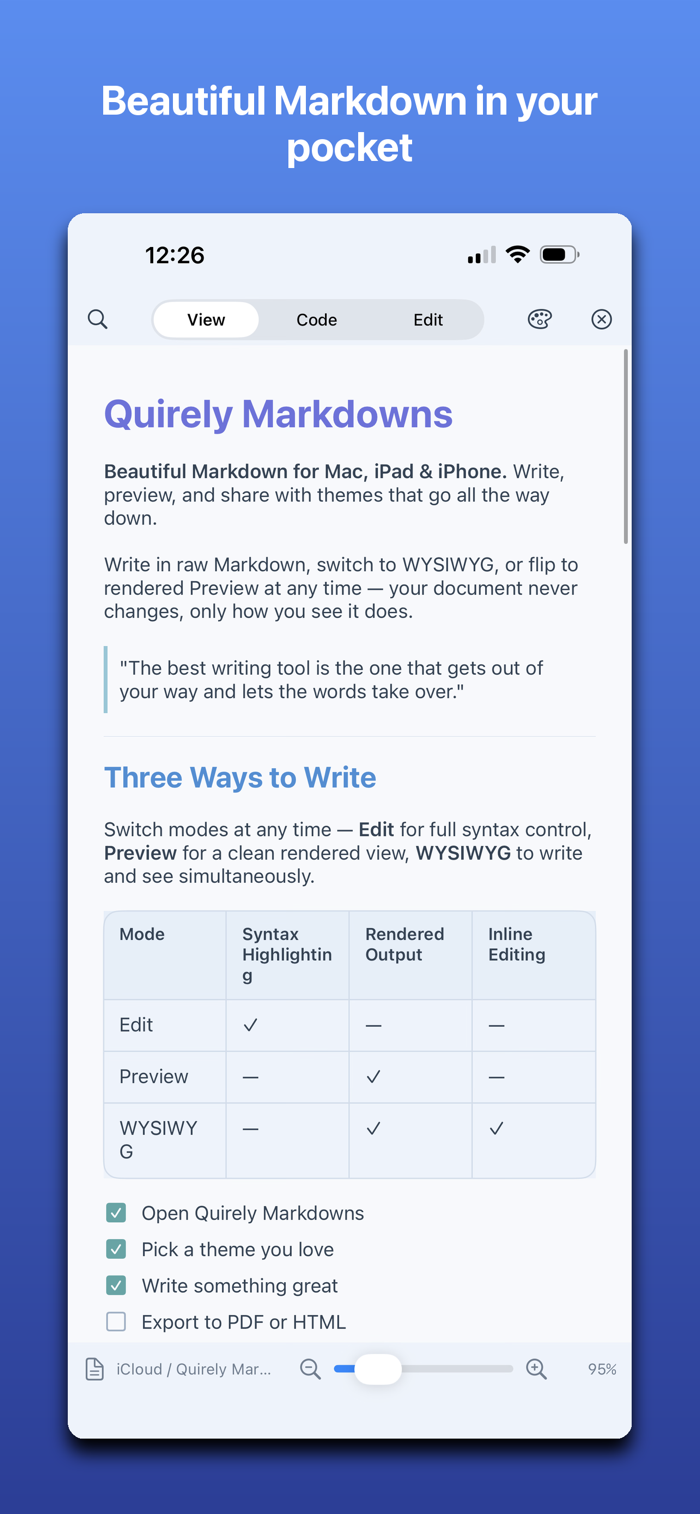
Quirely Markdowns is a native Markdown app for Mac, iPad, and iPhone — built for people who care how their writing looks and reads. It stays out of your way when you want to read, and hands you real tools when you want to edit.
A CALMER READER
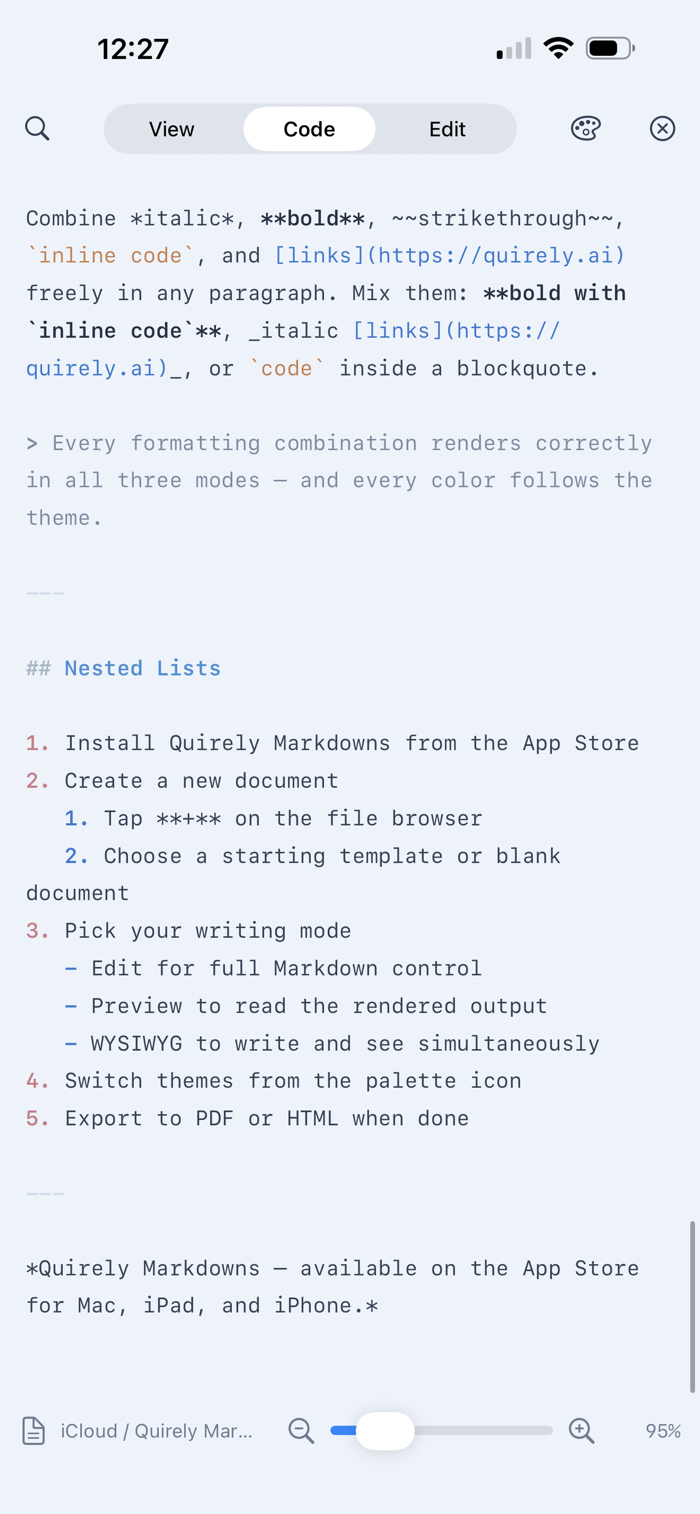
Open a file and just read. Quirely renders clean, typographic Markdown — it never forces you into a split screen or a cramped editor when all you want is to take in the page. Switch to Code, Edit, or Split only when you choose. Quick Look support lets you preview .md files straight from Finder, without even opening the app.
RENDERING THAT ACTUALLY WORKS
- Mermaid diagrams: flowcharts, sequence diagrams, and more — rendered live and styled to your theme.
- LaTeX / KaTeX math: inline and block equations, typeset beautifully.
- Code blocks with syntax highlighting for dozens of languages.
- Tables, task lists, footnotes, callouts, and full GitHub-flavored Markdown.
EDIT LIKE A PRO
- Four modes: View (read), Code (raw source), Edit (block editor), and Split (write and watch it render).
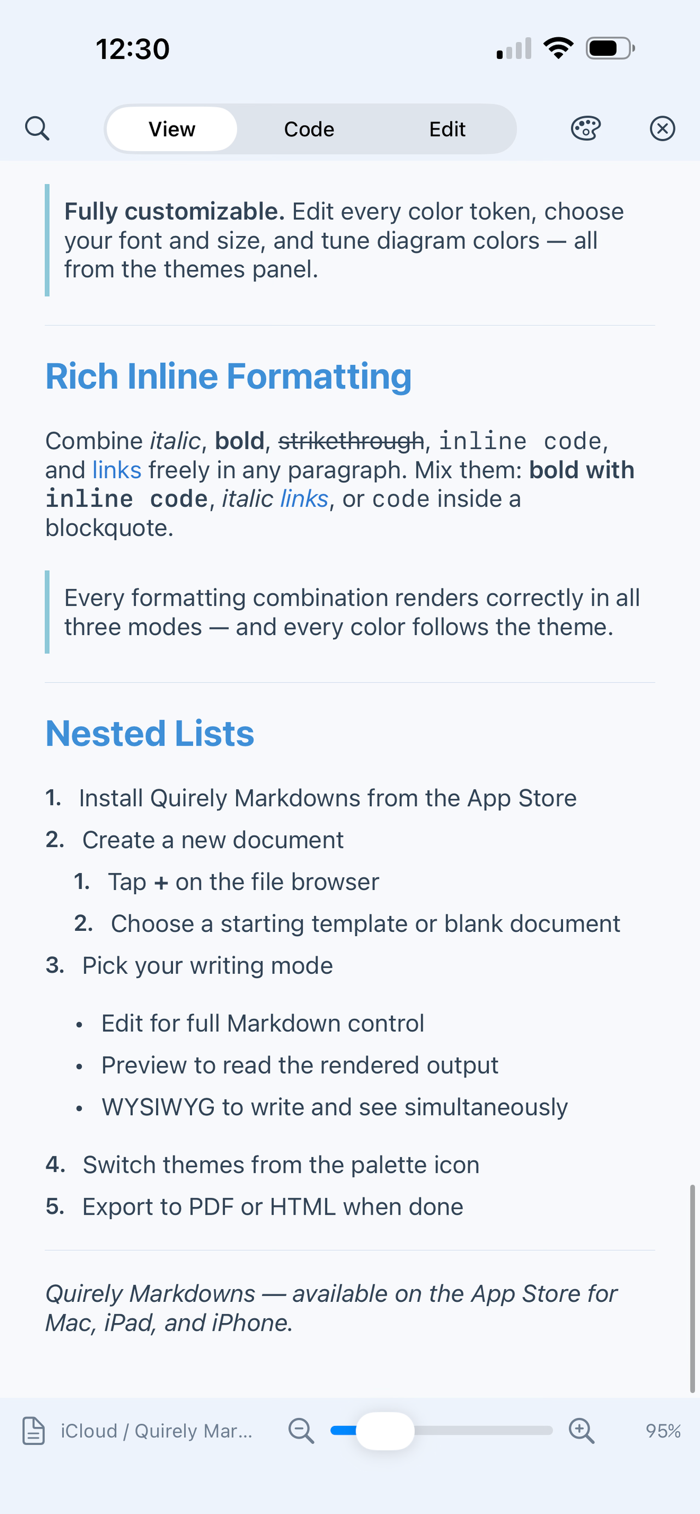
- Word-processor formatting: bold, italic, underline, strikethrough, highlight, links, super/subscript — with a font-size slider and theme-aware text and highlight colors.
- Drag-and-drop block editing: reorder paragraphs, lists, tables, and diagrams by hand.
- Visual Mermaid editing: drag nodes on a canvas, add edges, and recolor — no syntax required.
- Spreadsheet functions in tables: type =SUM(A1:A3), =AVERAGE, =IF and more, with a full function keypad on Mac.
- Nested lists that mix ordered, bulleted, and checklist levels.
MAKE IT YOURS
Ten hand-tuned themes — light and dark — recolor every token: headings, code, links, table borders, even diagram colors. Duplicate any theme and edit every color, font, and size. Switch live; no restart.
A REAL WORKSPACE
- Open a folder of notes with file navigation, backlinks, and tabs.
- Search by meaning (semantic search) and by exact full-text match.
- Version history with rendered diffs — see exactly what changed between saves.
- Mark positions to insert text across documents.
ON-DEVICE AI (Pro)
Draft, rewrite, and synthesize across your notes with Apple Intelligence — on-device, no API fees, no account. Ask AI about your whole workspace, or compose inline as you write.
EXPORT & SHARE
Export to polished HTML or paginated PDF with your theme, math, and diagrams intact.
PRIVATE BY DESIGN
Everything runs on your device. Your files stay plain Markdown you own — account.
ONE APP, EVERY DEVICE
Universal for Mac, iPad, and iPhone. One-time purchases — never a subscription. (Some editing tools, like the block inspector and the spreadsheet function keypad, are richest
on iPad and Mac; formulas work everywhere by typing.)
Write in Markdown. Read it beautifully.


 +100宝石


 分享
分享
















用户评价
立即分享产品体验
你的真实体验,为其他用户提供宝贵参考
💎 分享获得宝石
【分享体验 · 获得宝石 · 增加抽奖机会】
将你的产品体验分享给更多人,获得更多宝石奖励!
💎 宝石奖励
每当有用户点击你分享的体验链接并点赞"对我有用",你将获得:
🔗 如何分享
复制下方专属链接,分享到社交媒体、群聊或好友:
💡 小贴士
分享时可以添加你的个人推荐语,让更多人了解这款产品的优点!
示例分享文案:
"推荐一款我最近体验过的应用,界面设计很精美,功能也很实用。有兴趣的朋友可以看看我的详细体验评价~"
关注 Mergeek 公众号
领奖遇到问题?联系小门助手