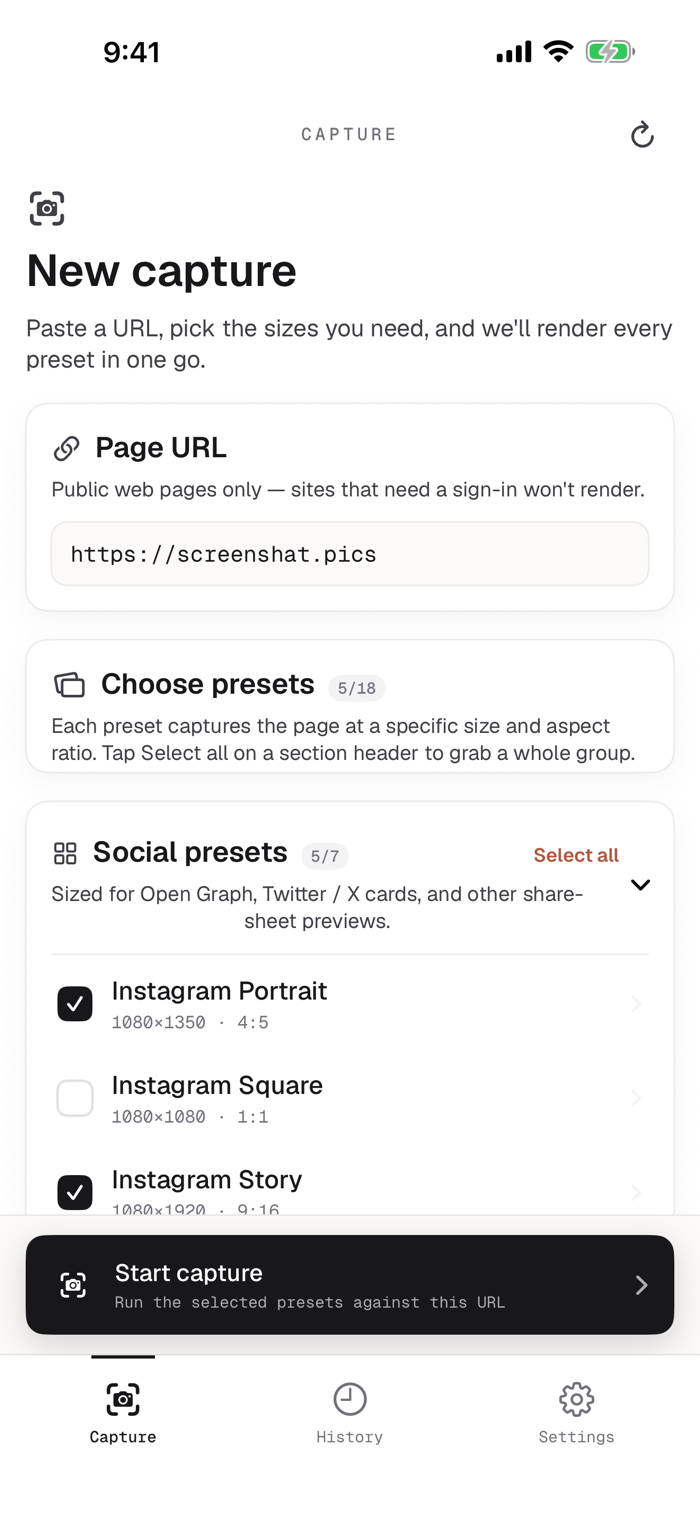
screenshat captures full-page web screenshots at the sizes you actually ship: social cards, phone viewports, and high-resolution exports. One URL goes in, every preset comes back in a single job.
If you've ever tried to grab a clean OG card on a phone, you know the drill: screenshot, crop, resize, repeat for every size, and the result still only covers the visible viewport. screenshat renders the page at every size you picked and hands them all back together.
WHAT YOU CAN DO
- Capture a page across multiple presets in one run: social cards, phone and tablet viewports, and high-resolution sizes in portrait and landscape.
- Save single shots to Photos, or share the whole job as a ZIP.
- Send a link from Safari with the Share or Action extension. The URL is waiting in the capture form next time you open the app.
- Give slow pages time to settle: wait for full load, network idle, or add a fixed delay before the shot.
THE HONEST PART
- Public pages only. Sites behind a sign-in won't render.
- Captures run on the screenshat server, not on your phone. Your URL goes to the server; the PNGs come back.
- Full-page means full page: the rendered document top to bottom at the preset's exact pixel size, not a viewport crop.
- No account. Your capture history stays on your device.
ON IPAD
Sidebar navigation, a wider capture form, and a list-and-detail history view.
Made by Luke Steuber. Questions: luke@lukesteu...


 +100宝石


 分享
分享












用户评价
立即分享产品体验
你的真实体验,为其他用户提供宝贵参考
💎 分享获得宝石
【分享体验 · 获得宝石 · 增加抽奖机会】
将你的产品体验分享给更多人,获得更多宝石奖励!
💎 宝石奖励
每当有用户点击你分享的体验链接并点赞"对我有用",你将获得:
🔗 如何分享
复制下方专属链接,分享到社交媒体、群聊或好友:
💡 小贴士
分享时可以添加你的个人推荐语,让更多人了解这款产品的优点!
示例分享文案:
"推荐一款我最近体验过的应用,界面设计很精美,功能也很实用。有兴趣的朋友可以看看我的详细体验评价~"
关注 Mergeek 公众号
领奖遇到问题?联系小门助手