Mandrill is a fast, native Markdown reader and editor for iPhone and iPad; beautifully designed.
Whether you're reviewing a README on the go, editing notes in your GitHub repo, or reading documentation on your iPad, Mandrill renders Markdown the way it's meant to look. Clean typography. GitHub themes. Zero clutter.
GitHub integration: your repos in your pocket
Sign in with GitHub and browse your repositories directly from the app. Open any repo, read and edit your Markdown files, and push changes back to GitHub when you're ready without ever touching a terminal or switching apps. Mandrill tracks which files have been modified and surfaces them clearly so you always know what's changed.
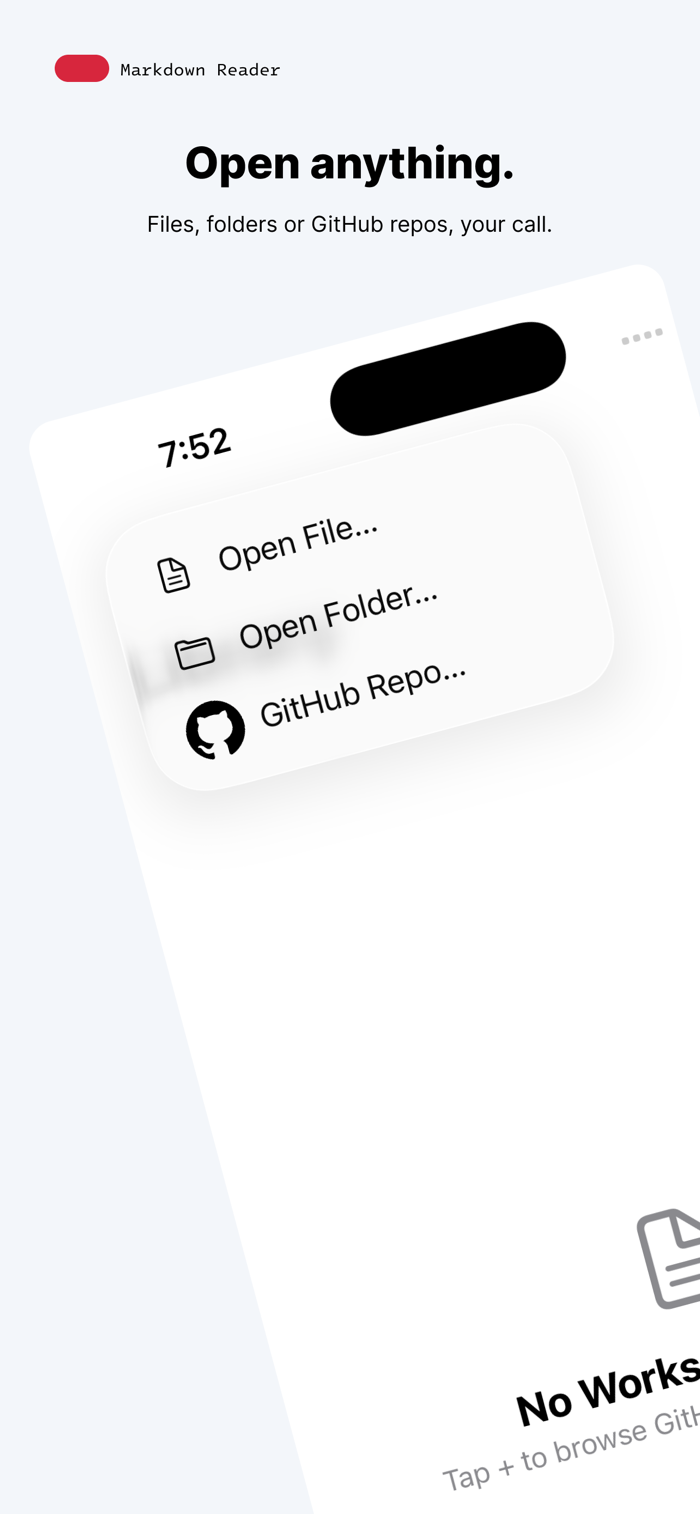
Open anything
Tap + to open a file from your device, browse a local folder, or connect to a GitHub repository. Mandrill shows only your .md files; no noise, no clutter, just the documents you care about.
A reader you'll actually enjoy using
Mandrill turns plain .md files into clean, typographically polished pages. Headings, lists, blockquotes, fenced code blocks, tables, inline code, bold, italic, and strikethrough, all rendered with care, in the theme you love.
GitHub themes built in
Choose GitHub Light, GitHub Dark, or System which follows your device's appearance automatically. Code blocks are highlighted per language like Swift, Python, JavaScript/TypeScript, Go, Rust, Java/Kotlin, C, C++, Objective-C, Ruby, Bash, SQL, CSS and more using authentic GitHub palettes.
Made for how you read
Mandrill gives you real control over your reading experience. Pick your typeface: Sans, Serif, or Mono. Adjust text size with a slider. Set your reading width to Narrow, Wide, or Full. Every setting is there because it matters.
Tables, done right
Markdown tables render properly with correct alignment, theming, and zero fuss.
One-click code copying
Every fenced code block ships with a copy button so you can grab snippets without selecting a single character.
Fast, even on large files
Markdown parsing and syntax highlighting run on a background thread, so the UI stays smooth and responsive on long documents.
Private by design
Mandrill requires no account to use and collects zero data. The optional GitHub integration connects only to GitHub's own servers we see nothing. No analytics. No third-party SDKs. Your files never leave your device.
Highlights
- GitHub integration: sign in, browse repos, track modified files, and push to GitHub from your iPhone or iPad
- Open files, folders, or GitHub repositories from a single tap
- Beautiful Markdown rendering: H1–H6, bold/italic/strikethrough, inline code, fenced code blocks, blockquotes, lists, tables, and horizontal rules
- GitHub Light, GitHub Dark, and System themes
- Per-language syntax highlighting like Swift, Python, JS/TS, Go, Rust, Java/Kotlin, C/C++/Obj-C, Ruby, Bash, SQL, CSS and more
- Typeface picker: Sans, Serif, or Mono
- Adjustable text size and reading width
- One-click copy on every code block
- Off-thread parsing for smooth performance on large files
- Works on iPhone and iPad
- Zero data collection. No account required to read and edit.
Built with love for iOS and iPadOS.


 +100宝石


 分享
分享
















用户评价
立即分享产品体验
你的真实体验,为其他用户提供宝贵参考
💎 分享获得宝石
【分享体验 · 获得宝石 · 增加抽奖机会】
将你的产品体验分享给更多人,获得更多宝石奖励!
💎 宝石奖励
每当有用户点击你分享的体验链接并点赞"对我有用",你将获得:
🔗 如何分享
复制下方专属链接,分享到社交媒体、群聊或好友:
💡 小贴士
分享时可以添加你的个人推荐语,让更多人了解这款产品的优点!
示例分享文案:
"推荐一款我最近体验过的应用,界面设计很精美,功能也很实用。有兴趣的朋友可以看看我的详细体验评价~"
关注 Mergeek 公众号
领奖遇到问题?联系小门助手