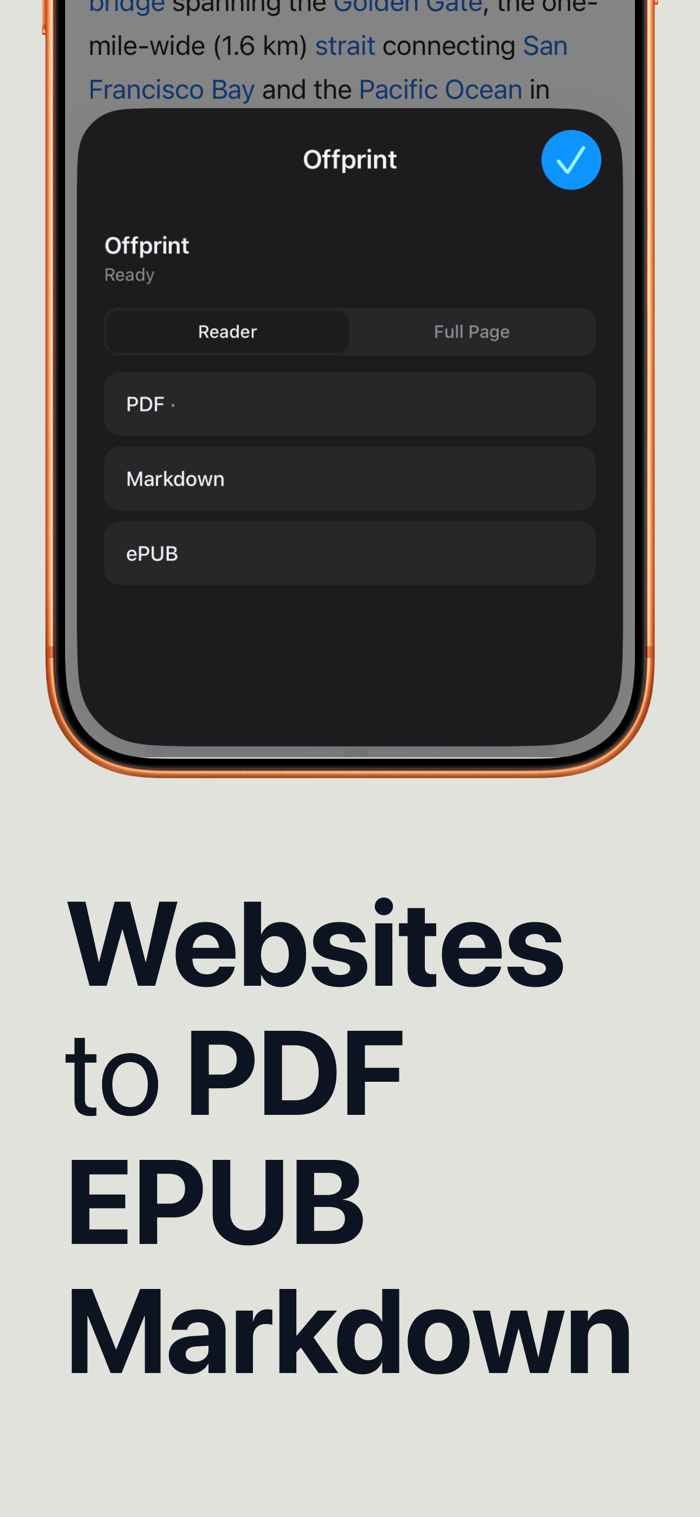
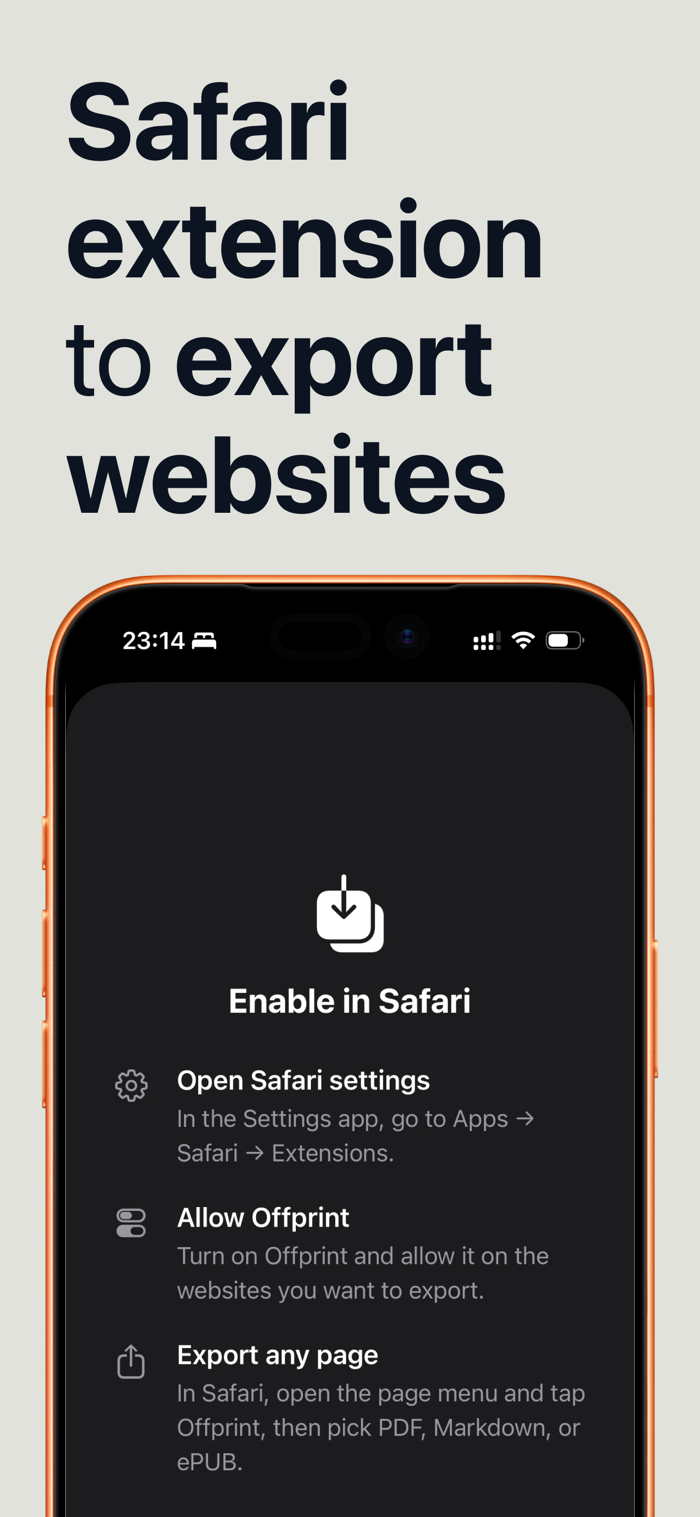
Offprint turns the web page you're reading into a file you can keep — a clean PDF, an EPUB for your e-reader, or a Markdown document for your notes. Open any article in Safari, tap the Offprint extension, pick a format, and share it anywhere.
No copy-pasting, no cluttered printouts, no account. Offprint strips the ads, banners, and pop-ups and keeps what matters: the text, the images, and the structure of the article.
THREE FORMATS, ONE TAP
• PDF — a clean, paginated document for printing, annotating, or archiving
• EPUB — a real e-book you can send to Kindle, Apple Books, or any e-reader
• Markdown — plain-text formatting that drops straight into Obsidian, Notion, Bear, or any notes app
MADE FOR READING
• Reader mode extracts just the article — no ads, no navigation, no cookie banners
• Full-page mode keeps the complete page when you need everything
• Built-in preview shows exactly what you'll get before you share it
FITS YOUR WORKFLOW
• Works directly in Safari — no switching apps, no pasting URLs
• Share sheet integration: AirDrop it, save to Files, send to Kindle, attach to mail
• Conversion happens on your device — nothing is uploaded, nothing is tracked
WHO IT'S FOR
• Readers building an offline library of articles for flights and commutes
• Students and researchers archiving sources as PDFs
• Note-takers clipping articles into their Markdown knowledge base
• E-reader owners...


 +100宝石


 分享
分享













用户评价
立即分享产品体验
你的真实体验,为其他用户提供宝贵参考
💎 分享获得宝石
【分享体验 · 获得宝石 · 增加抽奖机会】
将你的产品体验分享给更多人,获得更多宝石奖励!
💎 宝石奖励
每当有用户点击你分享的体验链接并点赞"对我有用",你将获得:
🔗 如何分享
复制下方专属链接,分享到社交媒体、群聊或好友:
💡 小贴士
分享时可以添加你的个人推荐语,让更多人了解这款产品的优点!
示例分享文案:
"推荐一款我最近体验过的应用,界面设计很精美,功能也很实用。有兴趣的朋友可以看看我的详细体验评价~"
关注 Mergeek 公众号
领奖遇到问题?联系小门助手